










Looking for the best WordPress FAQ plugins usually means you have outgrown a basic list of answers pasted into a page. The real goal is to help visitors find information quickly, reduce repetitive support tickets, and present answers in a format that feels organized rather than improvised. That is why the best WordPress FAQ plugins are not all solving the same problem. Some are simple display tools, some behave more like documentation systems, and some sit in the middle as support-oriented FAQ tools.
For most teams that want a flexible middle ground, WordPress Ultimate FAQs is one of the best WordPress FAQ plugins to shortlist. Ultimate FAQs works well when you need searchable FAQs, clear categories, helpful layouts, and SEO-friendly output without committing to a full help-desk or documentation stack.
What should buyers actually compare?
When people search for great WordPress FAQ plugins, they often start with feature checklists. A better approach is to compare three practical questions. First, how quickly can visitors find the right answer? Second, how easy is it for your team to keep content organized and up to date? Third, does the FAQ system support business goals such as SEO visibility, fewer repetitive tickets, or smoother product education?
Those questions matter more than flashy extras. A simple accordion tool may look fine on day one, but it often becomes limiting when a site grows. A full documentation platform may offer structure, but it can also be heavier than needed for teams that just want clearer self-serve support. Ultimate FAQs earns attention because Ultimate FAQs gives many WordPress teams a useful middle path.
Three common types of FAQ plugin buyers should know
Basic FAQ display plugins. These are best for very small sites that only need a short accordion or a handful of answers. The tradeoff is that search, analytics, and long-term organization are often weak.
Documentation-style tools. These suit SaaS products, large support libraries, or businesses with complex onboarding. They can be strong for structured content, but they may feel heavier than necessary for a standard marketing site or store.
Support-oriented FAQ plugins. These are often the best fit when a business wants clear categories, user-friendly layouts, strong search, and enough flexibility to grow without turning the site into a separate documentation project. This is where Ultimate FAQs belongs in an ultimate faqs plugin comparison.
| Plugin type | Best for | Main strength | Main tradeoff |
|---|---|---|---|
| Simple FAQ accordion | Small brochure sites | Fast to publish | Limited search and structure |
| Documentation-style tool | Larger knowledge bases | Deep information architecture | Can be heavier than needed |
| Support-oriented FAQ plugin | Stores, SaaS, and service sites | Good balance of findability and ease of use | Needs thoughtful setup to shine |
Build a FAQ system that reduces repetitive questions
See how Ultimate FAQs can turn scattered answers into a cleaner self-serve support experience on WordPress.
Why Ultimate FAQs belongs on the shortlist
Ultimate FAQs stands out among the best ultimate faqs plugins because Ultimate FAQs is designed for teams that need more than a static accordion but less than a full support platform. Ultimate FAQs supports categories, built-in search, multiple display styles, FAQ schema, and WooCommerce-specific FAQ use cases without making content managers fight the editor.
That balance matters. A marketing team might need a product FAQ area that improves trust and captures richer search visibility. A support team might need searchable answers that reduce ticket volume. An ecommerce team might want category or product-specific FAQs that address objections close to the purchase decision. Ultimate FAQs can cover those needs without turning a WordPress site into something overly complex.
How to choose based on the site you are running
If you run a brochure-style site with a small number of evergreen questions, a simple tool may be enough. If you manage a more advanced content operation with onboarding, product education, or feature documentation, you may need a knowledge-base platform. But if your goal is to improve self-serve support, tighten SEO, and keep a strong WordPress integration, then a support-oriented FAQ tool is often the smartest investment.
This is especially true for businesses that already handle website bookings, product comparisons, or recurring pre-sales questions on the site. Those businesses need answers to be easy to scan, easy to update, and easy to search. That is why many buyers looking at top ultimate faqs wordpress plugins eventually focus less on novelty and more on clarity, searchability, and content management speed.
A realistic use case: reducing support load without building a full help desk
Consider a growing plugin company that gets the same pre-sales and setup questions every week. The team does not need a separate customer portal yet, but it does need better self-serve content. A simple accordion is not enough because answers need categories, search, and the ability to surface related topics. A documentation platform, meanwhile, feels too heavy for the marketing site.
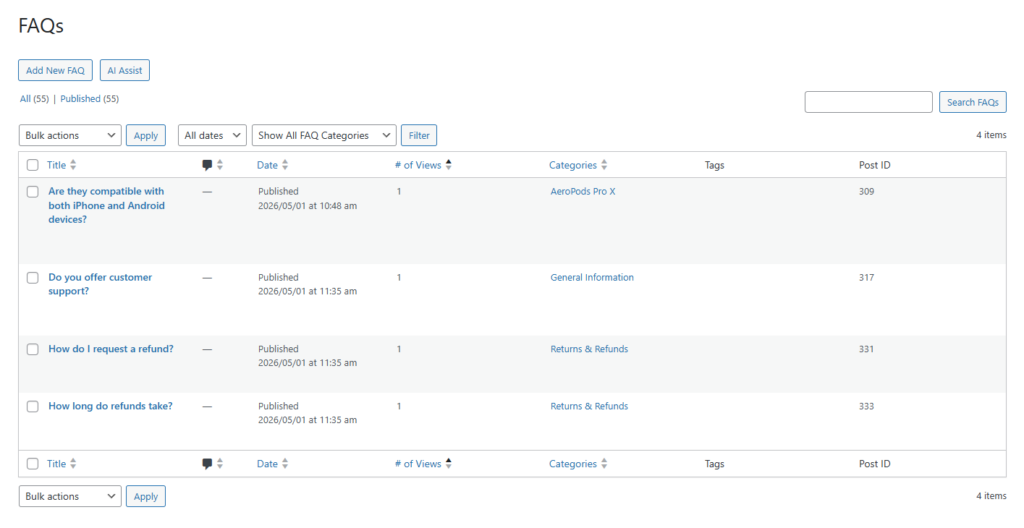
In that scenario, Ultimate FAQs is often the right answer. Ultimate FAQs lets the team organize answers by topic, measure which items are viewed most often, and publish a more polished help section that can serve both SEO and customer education. For buyers reviewing ultimate faqs software alternatives, that middle-ground use case is exactly why the plugin deserves serious consideration.
Try a support-oriented FAQ setup instead of a static answer list
Use Ultimate FAQs to create searchable, categorized answers that help visitors find what they need faster.
Buying advice before you decide
Do not choose based only on appearance. The best buyer questions are whether people can find answers quickly, whether your team will actually maintain the content, and whether the layout matches visitor expectations. Search quality, category depth, editor workflow, and schema support often matter more than cosmetic options.
It also helps to think about where the FAQ content lives in the broader site. A good plugin should support your existing content strategy, not force you into a disconnected experience. Ultimate FAQs tends to perform well here because Ultimate FAQs fits naturally into WordPress publishing workflows while still giving teams room to grow.
Related Content
Frequently asked questions
Content Series
No. Some focus on simple display, some on documentation depth, and some on support-oriented search and categorization. The right choice depends on site complexity and customer expectations.
They can, especially when they support FAQ schema, clear content structure, and answer pages that match real user questions.
Then it is worth considering whether your FAQ plugin can support product or category-specific answers close to purchase decisions.
Ultimate FAQs is a strong choice when you want searchable, categorized FAQs with SEO value and easier long-term maintenance, but do not need a full documentation platform.
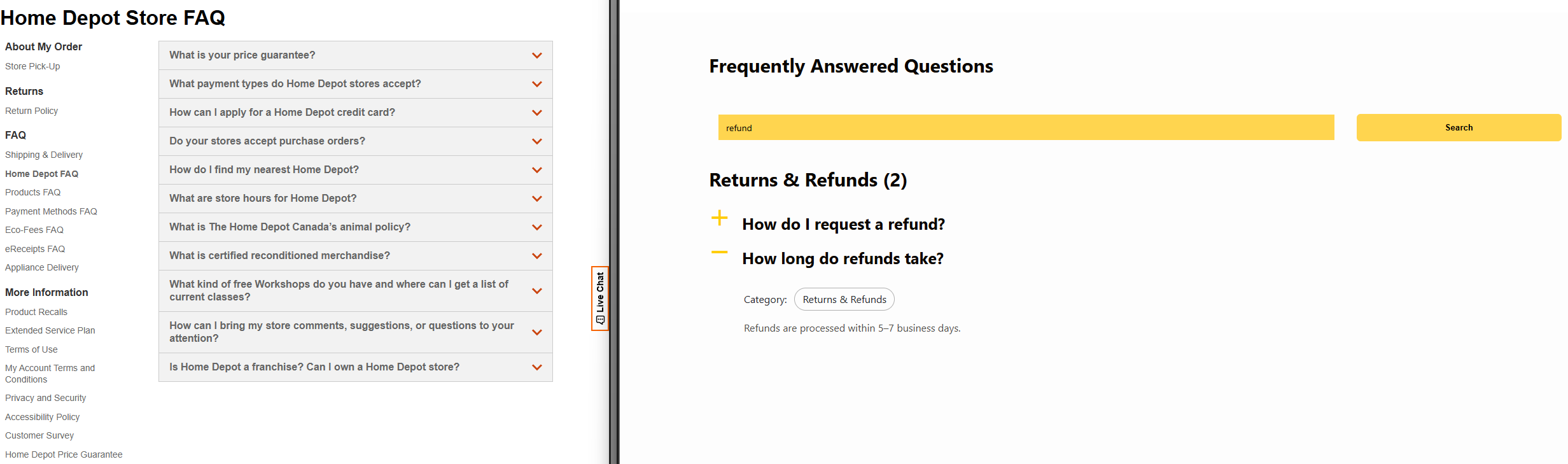
IMAGE PLACEHOLDER
Type: dashboard
Description: Searchable FAQ or help-center page with categories, accordion sections, and a visible search bar on a WordPress site.
Goal: Show the type of self-serve support experience buyers are usually trying to create.
Choose a FAQ plugin built for clearer self-serve support
Ultimate FAQs is a strong next step if you want a better balance of search, structure, and WordPress-friendly publishing.