










The best FAQ plugins for WordPress websites are not always the most feature-packed options. The better question is which plugin matches the kind of website you are running and the kind of questions your visitors keep asking. A brochure site, a SaaS marketing site, and an ecommerce store can all need FAQs, but they need them in very different ways.
For many teams, WordPress Ultimate FAQs deserves a place as one of the great FAQ plugins for WordPress websites because Ultimate FAQs can stretch across simple FAQ pages, searchable support sections, and product-oriented answer libraries without forcing a completely separate help-center stack. That makes Ultimate FAQs especially useful for teams that want better self-serve support and cleaner content management inside WordPress.
Start with the site you have, not the plugin list
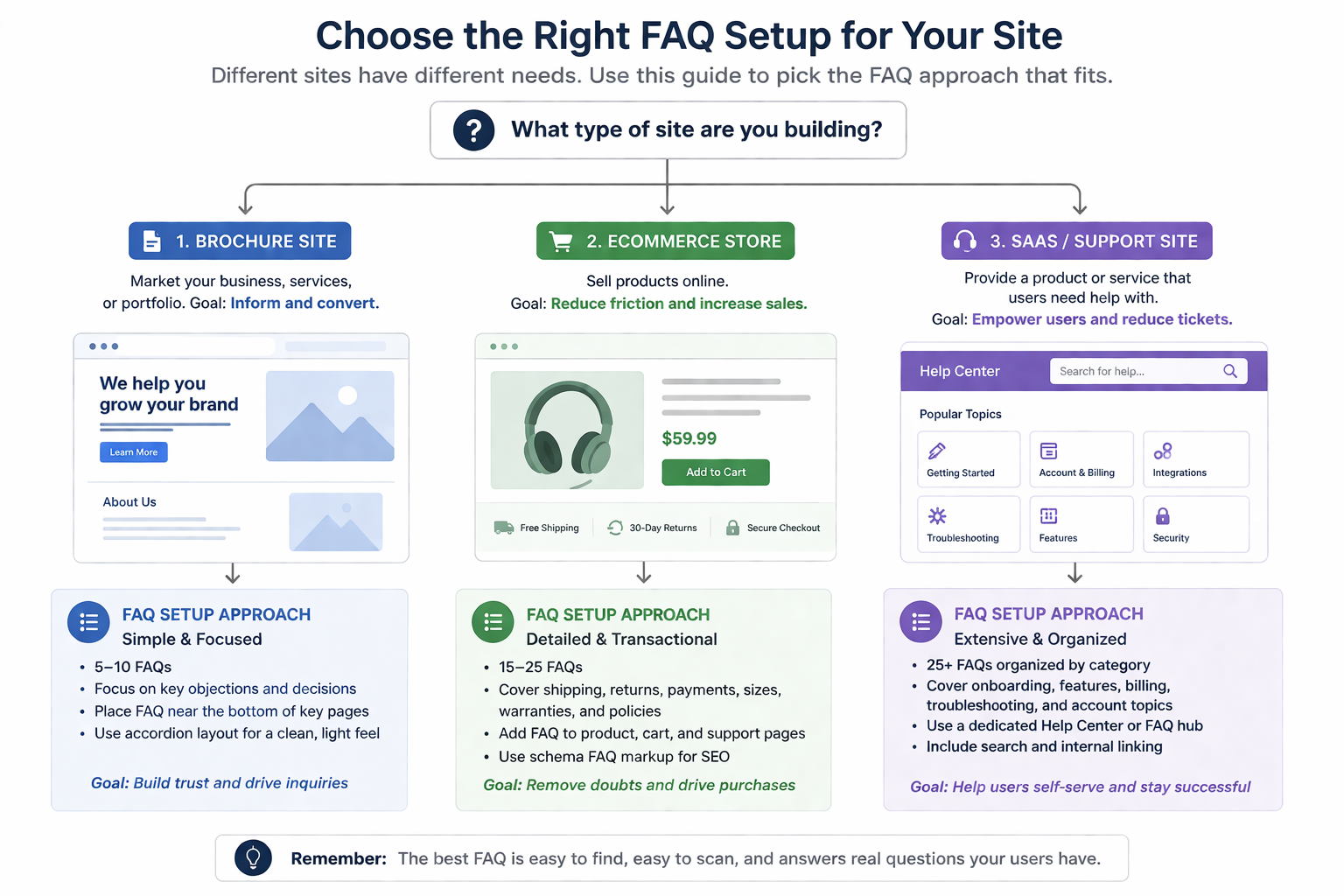
The smartest way to compare excellent FAQ plugins for WordPress websites is to begin with site complexity and customer expectations. A small brochure site might only need a compact answer section. A SaaS site may need stronger search and category structure. An ecommerce site may need purchase-focused questions near products, policies, or onboarding steps.
This is why a buyer-shortlist page should not just rank plugins from one to five. The better approach is to map plugin style to business context. That makes it easier to understand where Ultimate FAQs fits in an ultimate faqs plugin comparison and where a simpler or heavier option may be more appropriate.
Which FAQ setup fits each kind of WordPress site?
Small brochure or service site: a basic FAQ layout can work if the answer set is short and rarely changes. The risk is that content becomes hard to navigate once more questions accumulate.
Store or ecommerce site: product questions, shipping concerns, and pre-purchase objections often require categories, search, and product-aware organization. This is where a plugin with good structure and WooCommerce alignment becomes more valuable.
SaaS or support-heavy site: the main job is usually to reduce repetitive tickets and give visitors a clear self-serve path. Search quality, information hierarchy, and editor workflow matter more than visual novelty.
Ultimate FAQs tends to be a strong fit in the second and third categories because Ultimate FAQs offers stronger organization, built-in search, and SEO-oriented output while keeping a clean WordPress integration.
A scoring framework buyers can actually use
Instead of comparing brand names alone, score each candidate against five practical criteria: how fast visitors can find answers, how easy the plugin is to maintain, how well it supports SEO, how naturally it fits your existing content workflow, and whether it can grow with the site over the next year. This scoring model is more useful than simply searching for best ultimate faqs plugins and picking the first list you see.
| Evaluation criterion | Why it matters | What strong plugins do well |
|---|---|---|
| Findability | Users should reach answers quickly | Provide search, categories, and readable layouts |
| Maintenance | FAQ content only works if the team updates it | Offer simple editing and ordering workflows |
| SEO support | Helpful answers can attract qualified traffic | Support structured FAQ content and schema |
| Workflow fit | Publishing should stay inside normal WordPress routines | Work smoothly with editors and existing pages |
| Growth readiness | Needs change as support volume rises | Handle more categories, search demand, and specialized FAQs |
Create a FAQ setup that matches the site you already run
Use Ultimate FAQs to build a support section that fits your WordPress workflow instead of fighting it.
Where Ultimate FAQs moves from ‘good option’ to best fit
Ultimate FAQs rises on the shortlist when a site needs stronger answer discovery without graduating to a full documentation system. That is common for plugin companies, agencies, stores, and service businesses that field repetitive questions but still want the content to live naturally on the main site. Ultimate FAQs supports categories, search, schema, and multiple display styles in a way that feels practical rather than bloated.
That balance also matters for sites that already support other conversion-focused content such as product selectors, demos, or even website bookings. On those sites, FAQs need to reduce friction without pulling visitors away from the main action. Ultimate FAQs can do that by keeping answers visible, structured, and easy to scan.
Example use case: a support team trying to lower repeat tickets
Picture a support team that keeps answering the same setup and compatibility questions for a WordPress product. The company does not want to send every visitor into a separate portal, but it does want a clearer answer library with search and categories. A simple accordion plugin quickly becomes limiting, while a full knowledge-base platform may be more process than the team needs.
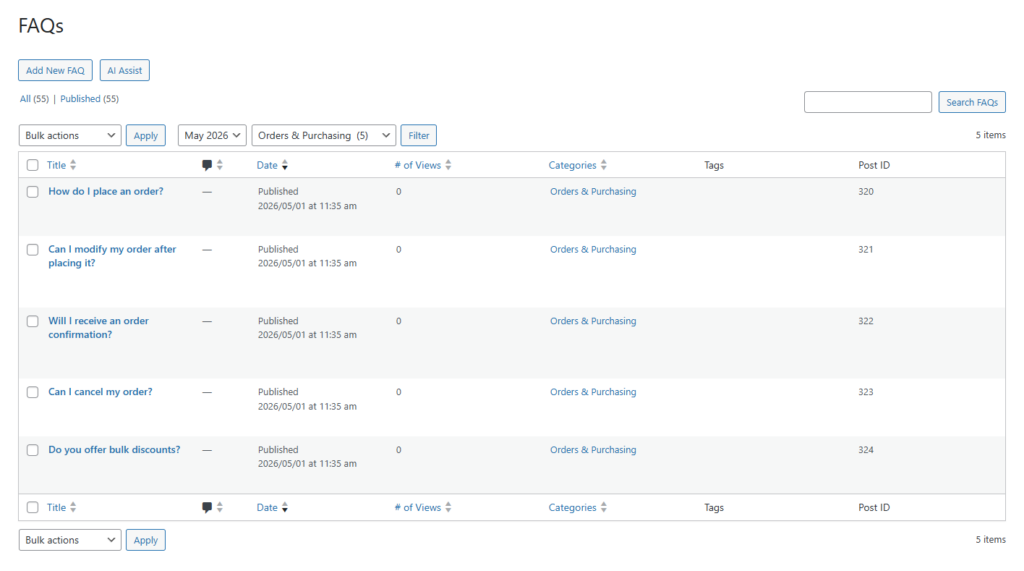
In that case, Ultimate FAQs is often the right level of tool. Ultimate FAQs lets the company publish searchable answers, track which entries get attention, and keep everything inside the same site and editor flow. For buyers reviewing top ultimate faqs wordpress plugins, that mix of flexibility and simplicity is exactly what makes the decision easier.
Use a FAQ plugin that scales with your site
Ultimate FAQs helps teams move from scattered answer lists to a searchable, maintainable support resource inside WordPress.
Buying advice for overloaded shortlists
If your shortlist is getting too crowded, eliminate any plugin that does not clearly support the type of answers your visitors expect to find. Then test two things: how the front-end FAQ experience feels to a first-time visitor, and how easy it is for your team to add, reorder, and expand content. Those tests tell you more than polished sales copy ever will.
It is also worth being realistic about future needs. Many teams researching ultimate faqs software alternatives are not actually unhappy with the concept of FAQs. They are unhappy with a setup that became too shallow, too hard to maintain, or too disconnected from the rest of the site. Ultimate FAQs is attractive because Ultimate FAQs solves those issues without overcomplicating the stack.
Frequently asked questions
Content Series
Yes, if the answers are easy to find, clearly written, and placed where users expect them.
No. Ultimate FAQs can work for smaller sites too, but the value becomes especially clear when the question set grows and visitors need better navigation.
Choose based on site complexity. Many teams do best with a support-oriented FAQ plugin before they need a full help-center platform.
They differ in depth, search quality, organization, and how well they fit specific site types such as brochure sites, stores, or support-heavy businesses.

Shortlist a FAQ plugin based on site fit, not hype
Ultimate FAQs is a strong choice when you want better findability, cleaner organization, and a WordPress-native workflow.