










When support teams start answering the same questions every week, the real issue is usually not staffing. It is answer delivery. Customers cannot find what they need quickly enough, so they open tickets for information that should already be available. That is why the best knowledge base plugins for WordPress are not just design tools. They are systems for making answers easier to publish, easier to search, and easier to trust.
If you are evaluating the best knowledge base plugins for WordPress, the right choice depends on whether you need a FAQ-led support center, a documentation-heavy portal, stronger analytics, or richer search. WordPress Ultimate FAQs is a strong option when you want a cleaner self-service support experience with categorized FAQs, search, schema support, and flexible display styles, while products like BetterDocs, Heroic KB, and Echo Knowledge Base may fit teams that need heavier documentation structures or more specialized help-center workflows.
When an FAQ plugin becomes a real knowledge base
A lot of WordPress sites start with a simple FAQ page and then outgrow it. The symptoms are familiar: categories become messy, the same answer appears in several places, users search and still cannot find the right page, and support leads realize the site has content but not a usable self-service system.
A real knowledge base does more than store information. It organizes answers by topic, gives people a way to search or browse, and helps the team learn which gaps still exist. For some businesses, that means long-form articles and documentation trees. For others, especially plugin businesses, SaaS onboarding sites, and support-heavy ecommerce stores, a searchable FAQ-first approach can cut ticket volume faster because it gets people to short, direct answers with less friction.
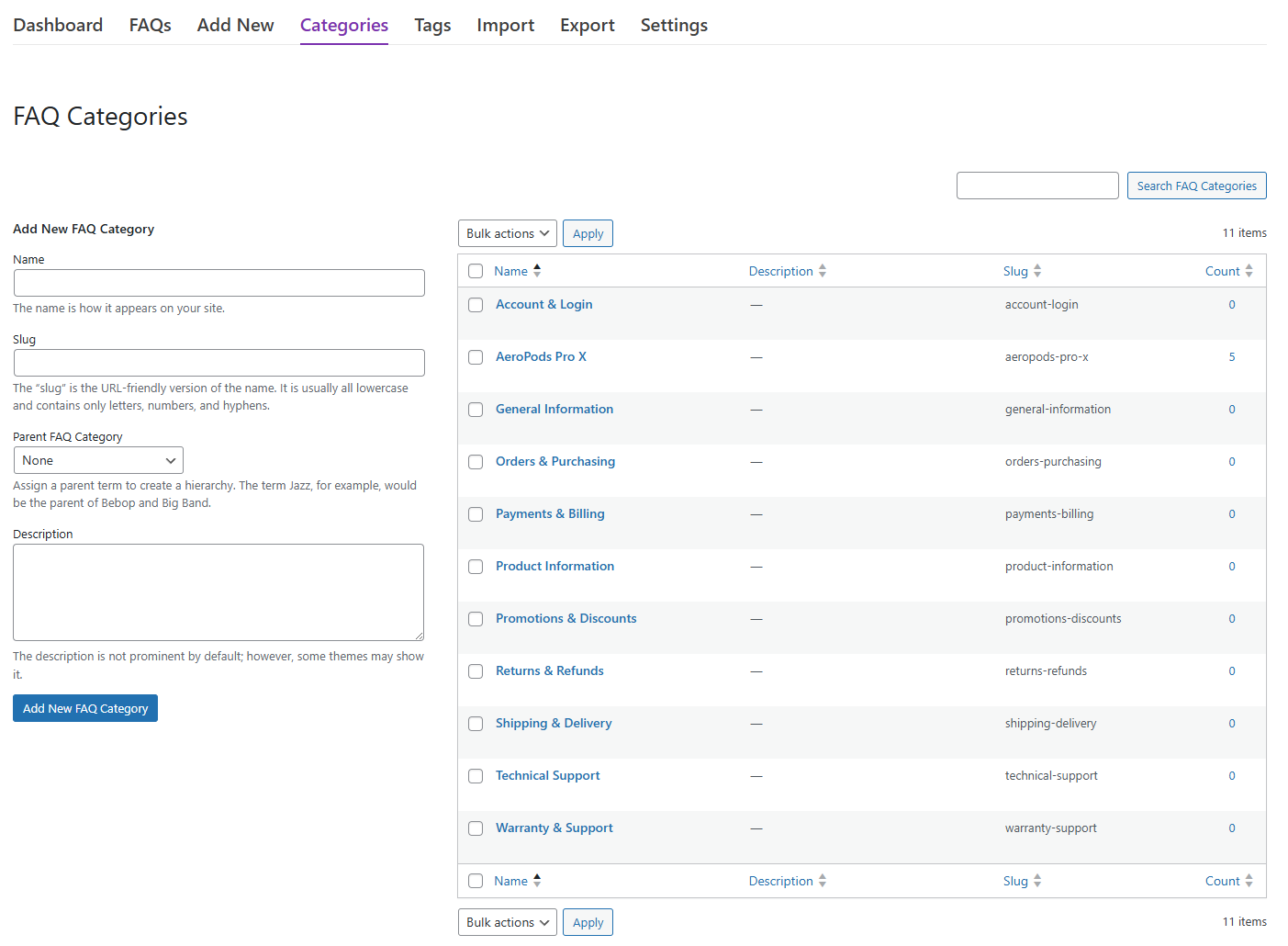
A practical shortlist of WordPress knowledge base plugins
| Plugin | Best fit | Strengths | Tradeoffs |
|---|---|---|---|
| Ultimate FAQs | FAQ-led knowledge bases and self-service support hubs | Fast FAQ management, categories, built-in search, flexible layouts, FAQ schema, and a lighter path to answer findability | Less focused on long manual-style documentation than some article-first tools |
| BetterDocs | Teams that want a fuller docs portal with templates and broader documentation features | Dedicated documentation experience, live search, drag-and-drop structure, and support for Elementor and Gutenberg | Can be more than you need if most support requests are solved by concise FAQs |
| Heroic KB | Support teams that value knowledge-base analytics and feedback loops | Instant search, analytics, article feedback, and a curated knowledge-base experience | Often a better fit for article-centric support libraries than for lean FAQ-first setups |
| Echo Knowledge Base | Businesses building a larger documentation or help-center environment | Documentation structure, search, FAQ support, and newer AI-oriented features | May introduce more architecture and configuration than smaller teams want at first |
Compare knowledge base plugins by support impact, not just layout
Ultimate FAQs gives WordPress teams a practical way to organize answers, improve findability, and create a cleaner self-service support experience without overcomplicating the setup.
How to evaluate plugins if reducing ticket volume is the real goal
- Can users find the answer in one or two moves? Search and category structure matter more than decorative layouts.
- Can your team maintain it quickly? If support content is hard to edit, it will go stale even if the front end looks polished.
- Can the site reveal what is missing? Search data, popular-question signals, or article feedback help support teams decide what to improve next.
- Does the format match your support style? Some teams need documentation trees. Others need concise answers surfaced quickly.
- Will it fit the rest of the WordPress site? The best knowledge base is the one your team will actually keep current.
A realistic support workflow that a good knowledge base should improve
Imagine a software company with a WordPress marketing site and a support inbox full of familiar questions: how to configure an integration, where to change a setting, what a specific error means, and which plan includes a certain feature. If every answer lives only in agent macros or old email replies, support volume stays high because the knowledge never becomes easy for customers to access.
A good knowledge base plugin changes that loop. The team identifies the top ten recurring issues, publishes those answers in a searchable structure, links to them from support replies, and watches what users search for next. Over time, the knowledge base stops being a static library and becomes a working part of the support operation. That is where Ultimate FAQs can be especially effective for FAQ-led support teams: it lets you publish and organize answer content quickly, make it searchable, and keep expanding from real user demand.
Where Ultimate FAQs fits especially well
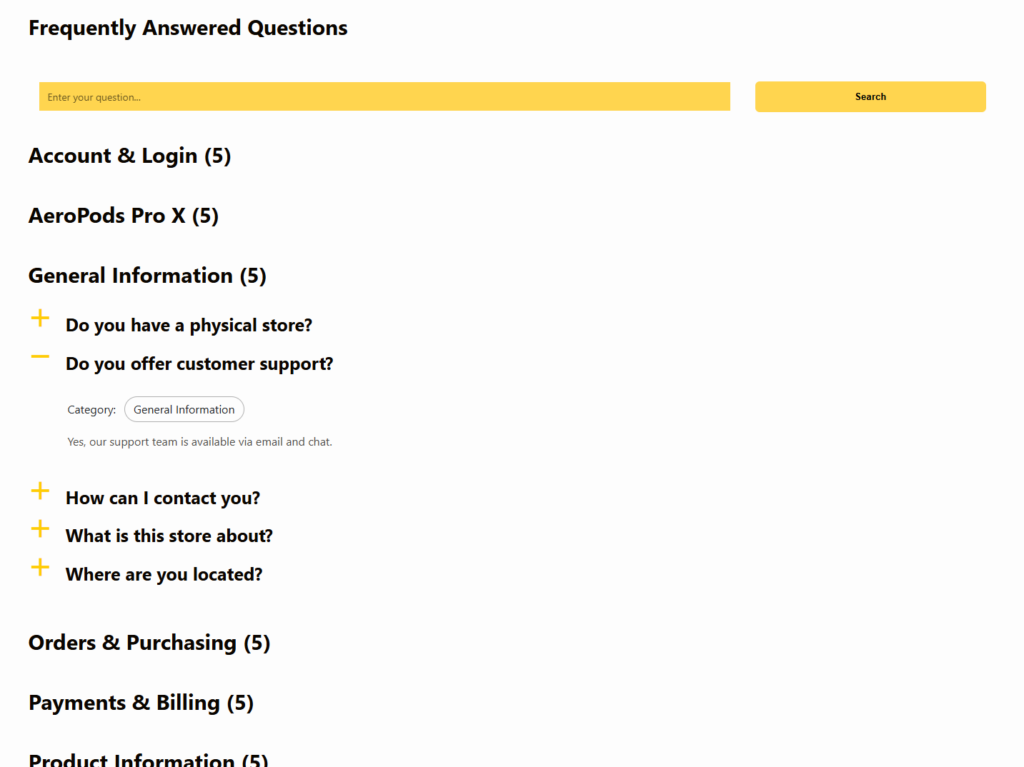
Ultimate FAQs is strongest when your support model is answer-first rather than documentation-heavy. If your visitors mostly need concise, high-frequency answers instead of long technical manuals, a structured FAQ system is often the quickest way to improve self-service. The plugin’s category support, built-in search, flexible display styles, responsive layouts, WooCommerce compatibility, and FAQPage schema support make it suitable for businesses that want a help-center feel without building a sprawling docs portal.
It also helps that the workflow stays practical. Support teams can add or edit items quickly, reorder content, import in bulk when needed, and use analytics cues like popular questions or saved search terms to see where the next content gaps are. That is the kind of maintenance rhythm that keeps a knowledge base useful instead of abandoned.
Build a knowledge base your support team can actually maintain
Use Ultimate FAQs to publish clearer answers, organize them by topic, and give customers a more useful self-service support experience on WordPress.
Common mistakes when choosing a WordPress knowledge base plugin
- Choosing the most feature-heavy platform even though most user questions are short and repetitive, not deep documentation requests.
- Ignoring search quality and focusing only on page design or template polish.
- Building a knowledge base structure that mirrors internal team language instead of the terms customers actually use.
- Publishing content once and never reviewing what users search for, where they drop off, or which questions keep reaching support.
- Separating support content too far from the rest of the WordPress site, making the help experience feel disconnected.
Image ideas for a knowledge-base comparison page
Related Content
Frequently asked questions about the best knowledge base plugins for WordPress
Content Series
Yes, especially when the support burden comes from repeated questions rather than complex troubleshooting. The faster customers can find clear answers, the fewer basic tickets the team has to handle manually.
SEO can be a useful side benefit, but the main decision should be support usefulness. A help center that is searchable, organized, and easy to maintain usually creates more business value than one that only chases rankings.
A knowledge base is the broader self-service system. An FAQ plugin can be one of the best ways to build it when your content is mostly short, recurring questions and answers. If your business needs longer manuals, tutorials, and article hierarchies, a documentation-focused tool may fit better.
Look at the FAQ plugin page, any help center setup guide you plan to follow, and your preferred FAQ schema tutorial. Those resources usually clarify whether you need a FAQ-led knowledge base or a fuller documentation stack.
Choose the plugin that matches your answer style
The best knowledge base plugins for WordPress are not all solving the same problem. Some are designed for extensive documentation. Others are better for fast, searchable answers that keep support queues under control. If your goal is a cleaner self-service support experience built around findability and maintainability, Ultimate FAQs deserves serious consideration because it gives teams a practical, lightweight way to publish the answers users ask for most often.
Create a support library customers can actually use
Try Ultimate FAQs if you want a WordPress knowledge base approach that emphasizes answer findability, cleaner organization, and fewer repetitive support tickets.