










A help center is where users go when they want progress, not just information. They are trying to fix a problem, complete a task, understand a feature, or confirm a decision. That means the best help center plugins for WordPress should be judged by how well they guide users from question to answer, not by how polished the landing page looks in a screenshot.
If you are comparing the best help center plugins for WordPress, the strongest choice depends on the kind of support journey you need to create. WordPress Ultimate FAQs is a strong fit for FAQ-led help centers that need searchable answers, organized categories, flexible layouts, and a clean WordPress editing workflow. Teams that need heavier article libraries, deeper documentation structures, or more specialized analytics may lean toward tools like BetterDocs, Heroic KB, or Echo Knowledge Base.
What a real help center has to do that a plain FAQ page cannot
- Help users start in more than one way, usually through search, category browsing, or featured answers.
- Make answer paths obvious so users do not have to guess whether their question belongs in billing, setup, troubleshooting, or policy content.
- Support escalation logic, meaning the help center should reduce simple tickets and let human support focus on the issues that truly need it.
- Stay current as products, policies, and workflows change, which means the editing experience matters almost as much as the front end.
This is why self-service support often succeeds or fails on structure. A visually appealing page is not enough. The help center has to mirror how real users think, search, and browse when they are under time pressure.
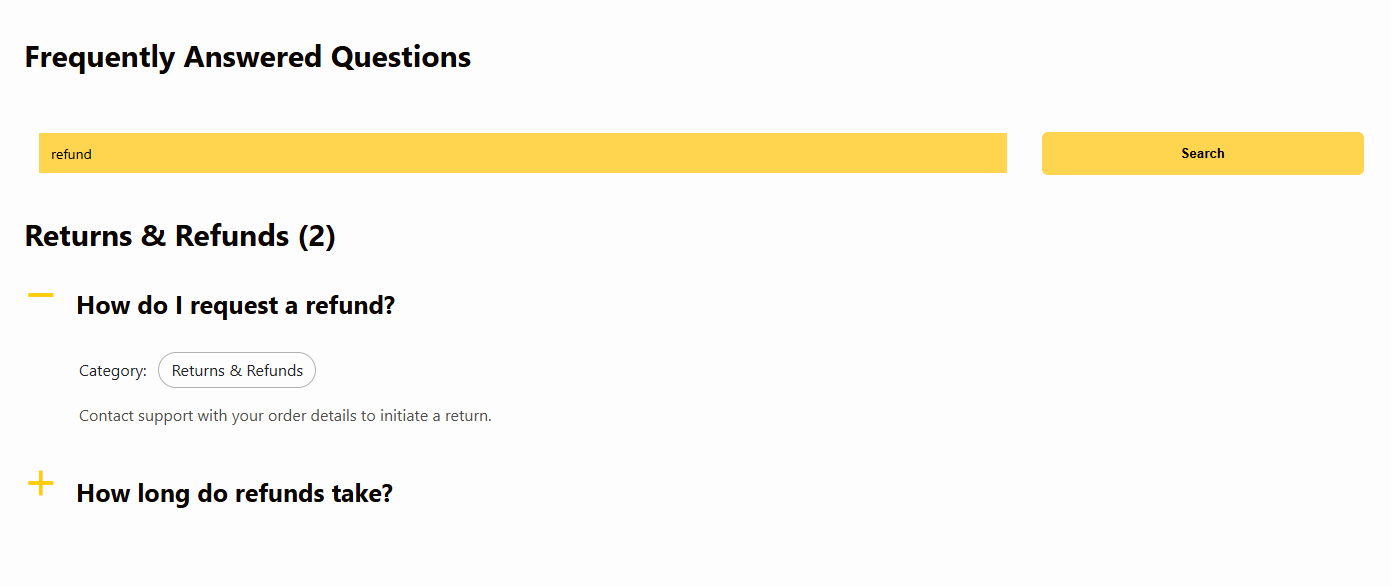
Three common WordPress help center models and where each one works
| Help center model | Typical plugin fit | When it works best | Watch out for |
|---|---|---|---|
| FAQ-led help center | Ultimate FAQs | Businesses with lots of repeated, concise questions and a need for fast publishing | If your content grows into long tutorials, you may need a broader docs layer later |
| Documentation-first portal | BetterDocs or Echo Knowledge Base | Products that need setup guides, feature docs, and multi-step article journeys | Can feel heavier and slower to maintain if most questions are actually simple answers |
| Analytics and feedback-driven article center | Heroic KB | Support teams that want feedback loops, curated content, and article performance insights | May be more article-centric than teams looking for a lightweight FAQ hub |
Choose the help center model before you choose the plugin
Ultimate FAQs is a strong option when your WordPress help center needs to answer common questions quickly, stay easy to manage, and give users a clearer self-service path.
How to design the answer journey inside a WordPress help center
1. Start with the top questions, not the full content backlog
Most teams already know the first set of help-center content they should publish because the same issues appear in tickets, onboarding calls, and sales conversations. Start there. The fastest way to make a help center useful is to cover the questions that already consume team time.
2. Decide whether users search first or browse first
Some businesses have users who know exactly what they are looking for, so search needs to be the primary entrance. Others have users who need category guidance because they do not know the product language yet. A good plugin should support both patterns, but one of them will usually matter more.
3. Keep category labels customer-facing
Help centers break when they are organized around internal department language. Users do not think in org charts. They think in tasks and problems. Labels like “Billing,” “Getting Started,” “Account Access,” and “Product Setup” usually perform better than internal naming conventions.
4. Use content signals to improve the center over time
Viewed FAQs, search behavior, feedback, and repeated ticket subjects should all shape what gets added next. A help center is not a publish-once asset. It is an operational system that should become more accurate as support volume reveals new gaps.
Which plugin usually wins for which team?
For teams that mainly need faster answers
Ultimate FAQs is often the best fit when the help center is primarily answer-led. If users mostly need quick resolutions rather than deep manuals, categorized FAQs with built-in search, responsive layouts, flexible styling, and easy editing can solve a large share of the support burden without requiring a complex documentation rollout.
For teams building a full documentation destination
Documentation-oriented tools like BetterDocs or Echo Knowledge Base can be better when the support content includes lots of multi-step tutorials, longer guides, and structured article hierarchies. Those teams often benefit from a more explicit docs framework and landing-page architecture.
For teams that manage support as a performance function
Heroic KB becomes more interesting when analytics, article feedback, and ongoing optimization are central to the support operation. It is a strong fit for teams that want the knowledge base to behave more like a measured support product than a static content area.
Build a WordPress help center around real support behavior
Use Ultimate FAQs to create a searchable, categorized help center that answers common questions clearly and gives your team a cleaner self-service support workflow.
Why Ultimate FAQs works well for help-center-style WordPress sites
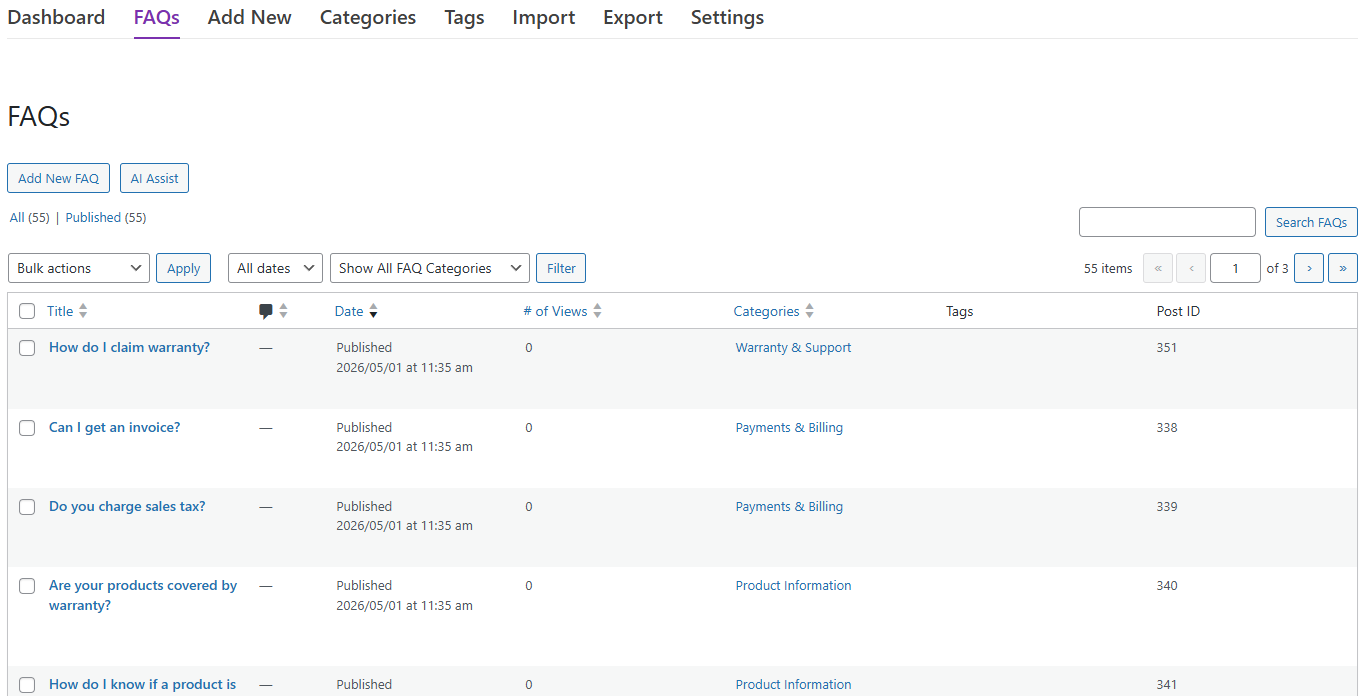
Ultimate FAQs stands out when the goal is to reduce repetitive support work without turning the site into an oversized documentation project. It lets teams create and organize unlimited FAQs and categories, surface answers through searchable interfaces, use multiple display styles, support mobile users cleanly, and add schema where relevant. For many WordPress businesses, that is enough to create a genuinely useful help center without adding unnecessary complexity.
It also fits well into ordinary support publishing habits. Teams can add or edit answers quickly, reorder content, import in bulk, and use signals like popular questions or saved search terms to decide what needs improvement. That makes the plugin especially effective for support teams that want a help center they can keep updating every week.
Mistakes that keep help centers from actually reducing tickets
- Publishing lots of content with no obvious entry points, so users still cannot find what they need.
- Building a docs-style structure when the real support problem is repeated short questions.
- Treating the help center as a side project instead of reviewing what users search for and where confusion remains.
- Making the front end look polished while the back-end editing process stays too cumbersome to maintain.
- Forgetting mobile users, who often need support answers just as urgently as desktop visitors.
Frequently asked questions about the best help center plugins for WordPress
Content Series
Yes, especially when most support demand comes from recurring questions that can be answered clearly and concisely. A FAQ-led help center is often the simplest and fastest way to improve self-service support on WordPress.
Often the terms overlap, but a help center usually describes the full user-facing support destination, including search, categories, featured answers, and escalation paths. A knowledge base is often the underlying content library. In practice, the distinction matters less than whether users can find answers quickly.
Review the FAQ plugin page, your preferred help center setup guide, and any comparison or alternative page you are using to shortlist tools. Those resources help confirm whether you need a FAQ-first help center or a broader documentation platform.
Choose a more documentation-focused option when your users need long tutorials, detailed setup instructions, or structured article hierarchies that go beyond a question-and-answer model.
Build the help center around how users ask for help
The best help center plugins for WordPress are the ones that make answers easier to reach, easier to maintain, and more useful under real support pressure. Ultimate FAQs is especially compelling when your main need is a searchable, category-driven, self-service help center that fits naturally into WordPress and helps reduce repetitive support work without forcing a heavyweight documentation build.
Create a help center that answers more questions before a ticket starts
Try Ultimate FAQs if you want a WordPress help center that is easier to manage, easier to search, and better aligned with practical self-service support.