










The best alternatives to premium FAQ plugins are not always the most feature-heavy options. In many cases, the better choice is the plugin that matches the kind of support content your team actually publishes and the level of maintenance you can sustain. When buyers compare the solid alternatives to premium FAQ plugins, the smartest approach is to compare plugin styles, not just price tags.
WordPress Ultimate FAQs deserves consideration among the top alternatives to premium FAQ plugins because it gives WordPress teams a practical middle ground: enough structure for serious FAQ and help-center use, without requiring a larger documentation stack or a complicated editorial process.
Why teams start researching alternatives in the first place
Most teams do not look for alternatives because premium software is inherently bad. They start researching because the current setup no longer fits the way the content is used. The plugin may be too narrow, too bulky, too expensive for the value delivered, or too difficult for multiple editors to keep current.
That is why the best alternatives to premium FAQ plugins should be compared through operational questions. Can the team add and update answers quickly? Can visitors find the right answer through search or category navigation? Can the plugin support both product-page FAQs and a broader support hub as the library grows?
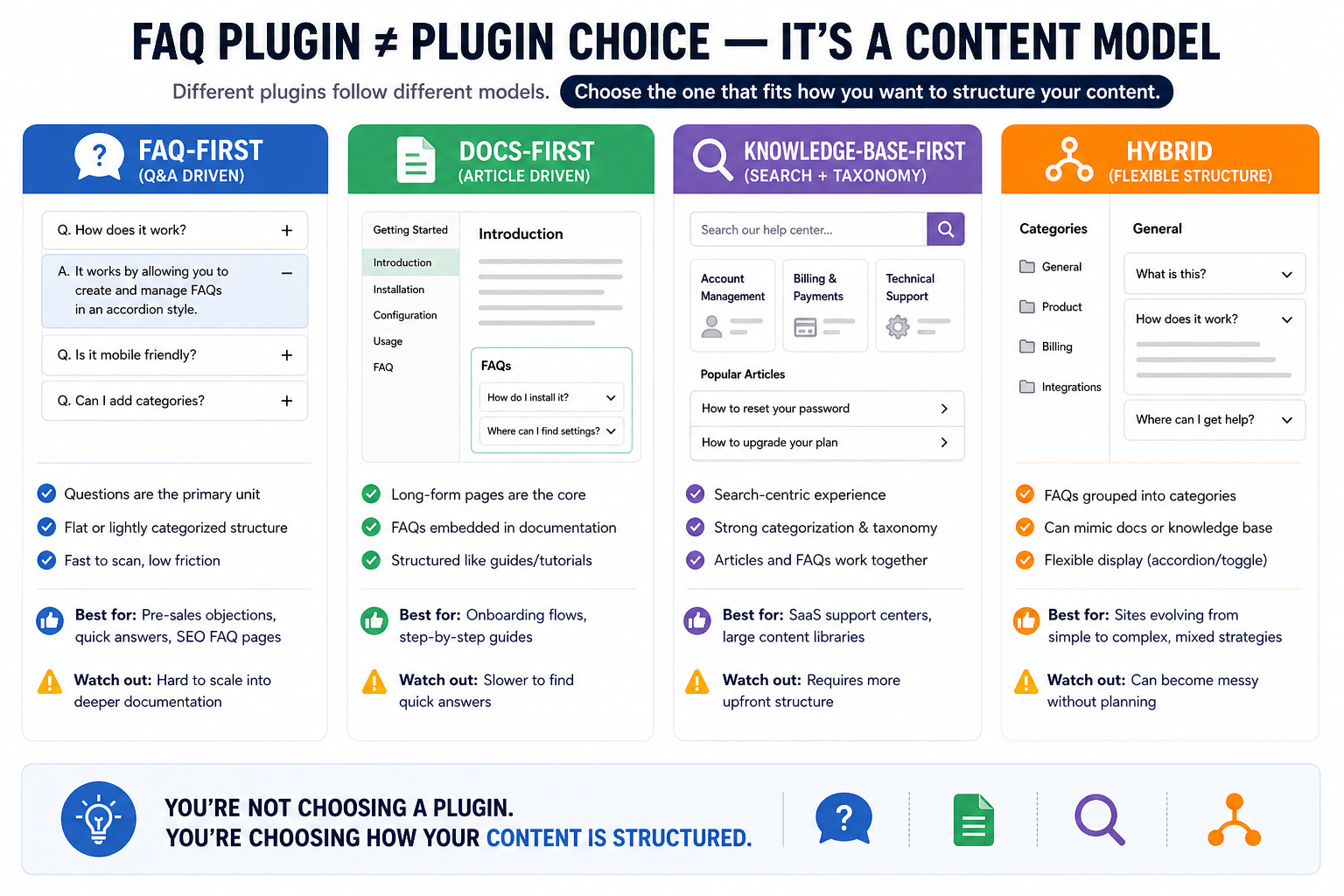
The four plugin styles buyers usually end up comparing
FAQ-first plugins. Best for short, repeated questions that need quick publishing and flexible placement across the site.
Docs-first plugins. Better for long-form manuals, knowledge bases, and article-heavy support libraries.
Hybrid FAQ and docs plugins. Useful when the site mixes compact FAQs with larger help resources.
Commerce- or product-specific help tools. Worth considering when support content is tightly tied to product categories, store flows, or customer education.
A shortlist of the Best alternatives to premium FAQ plugins
| Plugin | Best fit | Why it stands out | Tradeoff to consider |
|---|---|---|---|
| Ultimate FAQs | Teams that want a focused FAQ and help-center layer in WordPress | Fast management, search, schema, analytics, and flexible display styles | Not a full article-first docs portal |
| BetterDocs | Teams building deeper documentation or knowledge bases | Strong docs layouts, landing pages, and article-focused organization | May be heavier than necessary for short-form FAQ content |
| Helpie FAQ | Teams that want hybrid FAQ/docs presentation with WordPress-friendly editing | Useful for mixed display needs and FAQ blocks | Worth weighing against simpler long-term workflows |
| Echo Knowledge Base | Organizations needing a larger support center with deeper knowledge-base functionality | Broad help-center scope and strong search orientation | More system overhead for smaller or leaner teams |
Compare plugin styles before you replace what you already have
Use this shortlist to decide whether you need a focused FAQ layer, a docs-first build, or a broader knowledge-base setup.
Who each option usually suits
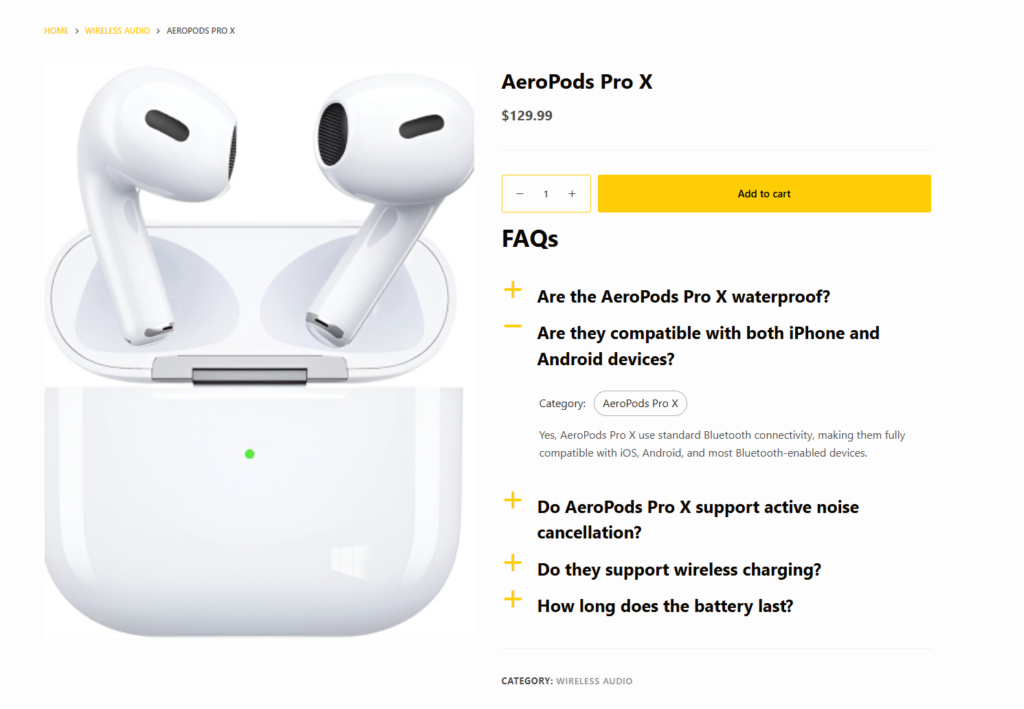
Ultimate FAQs is a strong fit for site owners and support teams that want to publish and improve answers quickly. It works well when your help content lives close to sales pages, product pages, or onboarding content, and when searchability matters more than building a giant documentation portal.
BetterDocs is a stronger candidate when long-form documentation is the main priority. Echo Knowledge Base tends to make more sense for broader support-center builds. Helpie FAQ can be a contender when you want a hybrid presentation style and your team is comfortable maintaining that workflow. The point is not to force a single winner; it is to match the content model to the support workload.
For example, a restaurant site may only need answers about direct bookings, private events, and cancellation rules. A marketplace seller may care more about pricing, visibility, and avoiding unnecessary commission fees. Those are very different support patterns, and the best plugin depends on which kind of content you need to maintain week after week.
Migration and maintainability matter more than feature count
A premium plugin can look strong on paper and still be the wrong choice if it creates editorial drag. The teams that make the best switch decisions usually focus on maintainability first. They ask whether the plugin can be updated quickly after a product change, whether nontechnical editors can use it confidently, and whether answers can be reorganized as the site grows.
That is one reason Ultimate FAQs appears so often in shortlists of the best alternatives to premium FAQ plugins. It is practical. Teams can build a support layer with categories, search, schema, and useful display controls without overcommitting to a larger documentation system too early.
Related Content
Choose an FAQ replacement your team can actually maintain
A practical plugin usually beats a feature-heavy one if it keeps answers easier to publish, find, and improve over time.
How to narrow the shortlist
Start by listing the top twenty questions your customers actually ask. Then identify where those answers need to live: inside product pages, in a centralized help area, or inside deeper documentation. Once you do that, the shortlist usually narrows quickly.
If the answers are short and repetitive, Ultimate FAQs is often the more efficient choice. If the answers are long and tutorial-driven, a docs-first plugin may make more sense. That is the practical way to judge the best alternatives to premium FAQ plugins: by the work they support, not by abstract feature lists.
Frequently asked questions
Content Series
No. A more complex plugin is only better when your team genuinely needs that complexity and can maintain it.
Not always. Some sites need a FAQ-first layer plus deeper docs elsewhere. The right plugin depends on the dominant content pattern.
Usually maintainability. Editing speed, findability, and content organization matter more over time than a long feature checklist.
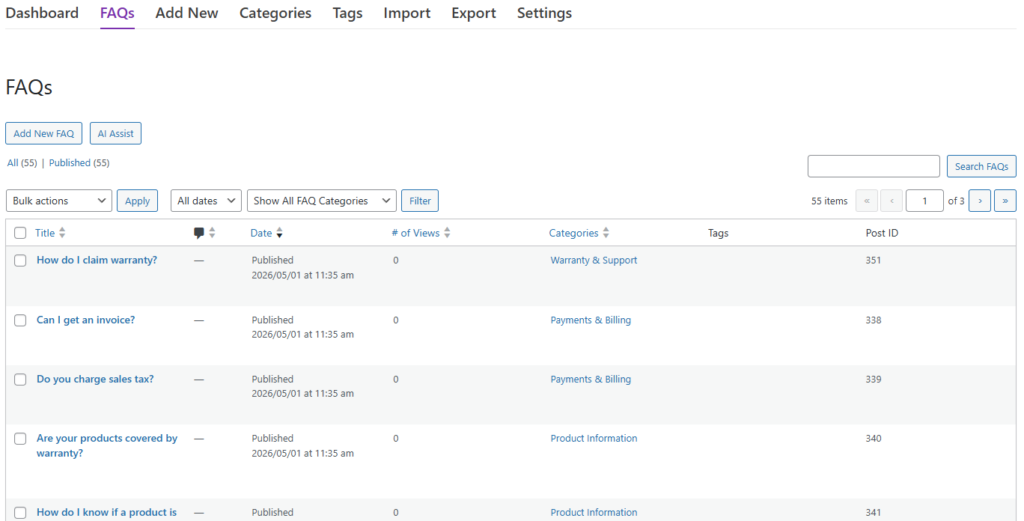
Ultimate FAQs offers a practical combination of FAQ management, search, schema, analytics, and flexible display without forcing a full documentation build.
Find the FAQ plugin style that fits your support model
If you want a practical, searchable, and easier-to-maintain WordPress FAQ setup, Ultimate FAQs is one of the strongest options to evaluate next.