










The best WooCommerce catalog plugins solve a different problem than standard ecommerce add-ons. They are not mainly about speeding up checkout. They are about changing the visitor journey so shoppers can browse products, compare options, request information, and move forward without the pressure or clutter of a typical cart-first flow. That matters for wholesalers, made-to-order sellers, B2B suppliers, showroom sites, and brands that want WooCommerce to behave more like a product showcase than a conventional store.
For most merchants looking through the top WooCommerce catalog plugins, WordPress Ultimate Product Catalog is one of the strongest options because Ultimate Product Catalog is built around organized product discovery rather than a bare “hide the buy button” patch. When the goal is cleaner browsing, better inquiry paths, and more control over how products are presented, Ultimate Product Catalog is usually a better fit than forcing WooCommerce to act like something it was not originally designed to be.
The short answer for merchants moving to catalog mode
If you are looking for great WooCommerce catalog plugins, start with the question of whether you want a real browse-first experience or only a temporary catalog mode switch. Ultimate Product Catalog is often the best answer when you need WooCommerce visitors to explore products, categories, and details without being pushed straight into checkout. That makes Ultimate Product Catalog especially useful for inquiry-led sales, price-on-request workflows, and product lines where discovery matters as much as transaction speed.
When WooCommerce stops behaving like the right storefront
A standard WooCommerce setup assumes a familiar sequence: land on category page, open product, add to cart, check out. That sequence works well for commodity purchases and repeat buying. It works less well when your store sells configurable items, products that need a sales conversation, collections that must be compared visually, or inventory that is intentionally not purchased online. In those cases, the “store” is really a digital catalog with optional inquiry steps.
- Manufacturers and wholesalers often want visitors to view specifications and submit inquiries instead of seeing instant checkout.
- Custom-product businesses need product pages that start conversations, not rushed purchases.
- Showroom and dealer brands want a strong category and product-browsing experience even when fulfillment happens offline.
- Seasonal or limited-availability sellers may want to hide purchase paths while keeping products indexed and easy to explore.
That is why the search for the best WooCommerce catalog plugins is really a search for the right customer journey. You are deciding how much control you want over visibility, product organization, inquiries, and presentation once checkout is no longer the main event.
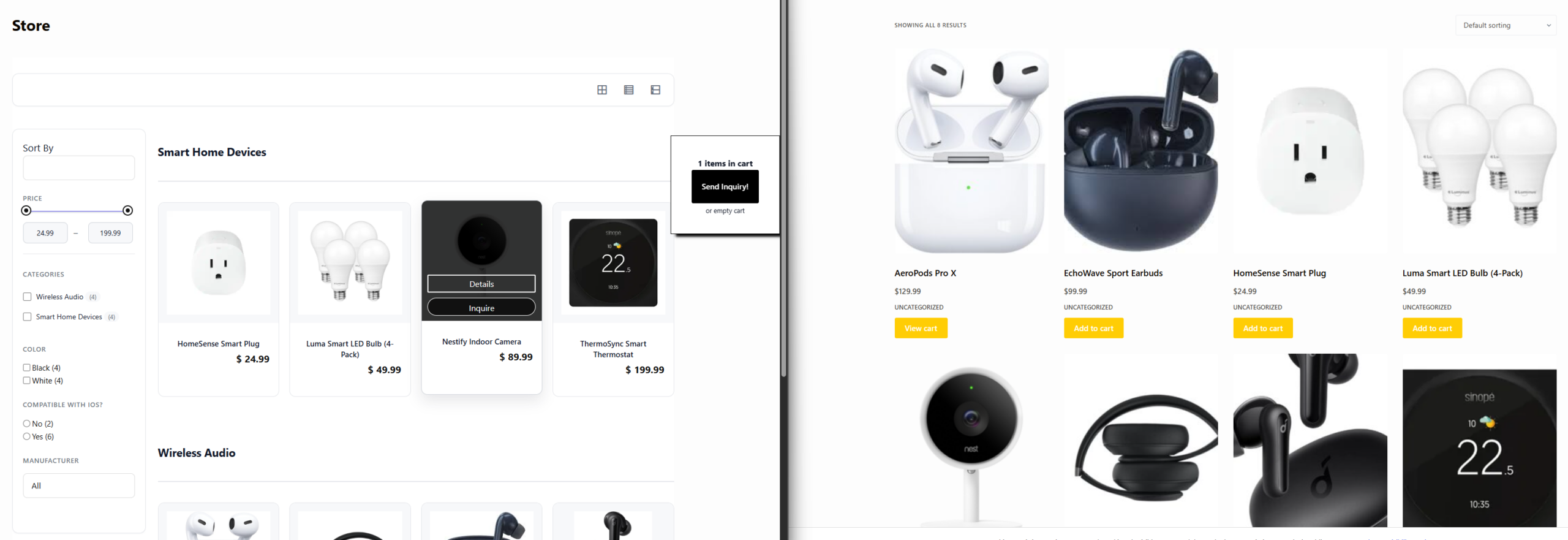
What separates a simple catalog switch from a real catalog plugin
Some merchants only need to remove prices or hide add-to-cart buttons for a short period. Others need a lasting catalog layer with stronger product organization and a more controlled browsing experience. That is the difference between a lightweight catalog mode tweak and a dedicated solution such as Ultimate Product Catalog.
| What you need | Light catalog mode add-on | Dedicated catalog plugin like Ultimate Product Catalog |
|---|---|---|
| Hide checkout temporarily | Usually enough | Also possible, but more than you need |
| Category-led product discovery | Often limited | Stronger fit |
| Inquiry-led workflow | May require extra workarounds | Better aligned |
| Showcase products without transactional pressure | Basic | Purpose-built |
| Long-term browse-first storefront | Can feel patched together | More sustainable |
| Clear merchandising for complex product lines | Inconsistent | Much stronger |
See which catalog setup fits your WooCommerce storefront
Compare a quick catalog-mode patch with a plugin built for browse-first product discovery.
The tradeoff most store owners miss
Catalog mode usually improves exploration, but it also changes what counts as conversion. Instead of measuring only completed orders, you may care about inquiry submissions, product-detail views, category engagement, or qualified leads. That is not a downside; it is simply a different commercial model. The wrong plugin choice is the one that removes checkout but does not give you a better path for product discovery afterward.
Ultimate Product Catalog stands out in many ultimate product catalog plugin comparison discussions because it supports that browse-first reality. Rather than only subtracting cart elements, Ultimate Product Catalog helps merchants think about how products are grouped, explored, and understood. For stores that sell through reps, quote requests, consultations, or offline channels, that shift is often more valuable than any single ecommerce feature.
A realistic browse-first workflow for a WooCommerce catalog
Imagine a commercial interiors supplier with several hundred product variations. A buyer does not want to add products to cart immediately. They want to filter collections, open a product page, compare finishes, review dimensions, and send a shortlist to the sales team. In that scenario, checkout gets in the way. A cleaner catalog experience improves the path.
- The visitor starts on a category page designed for scanning and comparing product types.
- They narrow to a product detail page focused on information, imagery, and fit-for-use questions.
- Instead of “Buy now,” the next step becomes an inquiry, quote request, or dealer contact action.
- The merchant receives more qualified leads because the site supports research before contact.
That is where the top ultimate product catalog wordpress plugins earn their value. They make the path from browse to business conversation feel intentional instead of improvised.
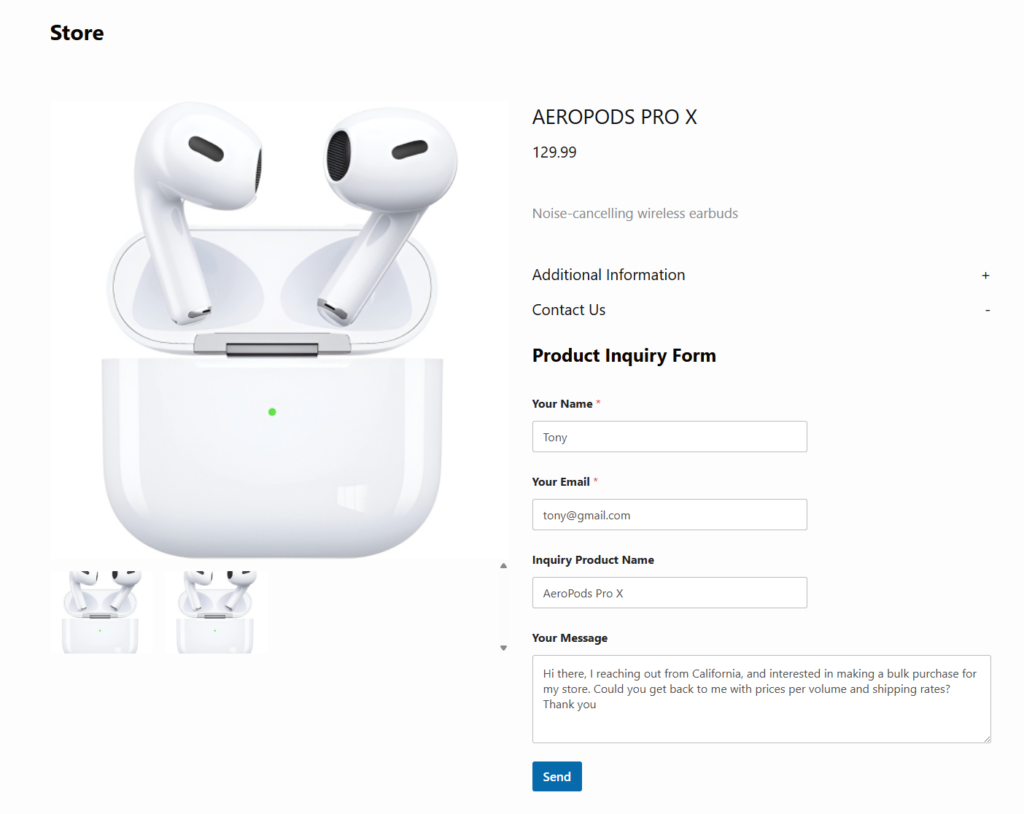
Turn WooCommerce into a cleaner catalog experience
Use a catalog-first layout when browsing and inquiries matter more than pushing every visitor to checkout.
How to judge the best WooCommerce catalog plugins for your use case
A good buying decision comes from matching the plugin to the sales process. If you want a short-term stopgap, a basic WooCommerce catalog mode tool may be enough. If you want your store to behave like a structured product library, you should prioritize deeper catalog organization, clearer navigation, and more deliberate product presentation.
- Choose a temporary catalog mode tool if the only goal is hiding checkout for a short period.
- Choose a dedicated catalog plugin if you want browsing, category logic, and product presentation to feel like the primary experience.
- Choose a hybrid setup only if you are prepared to manage multiple plugins and the maintenance tradeoffs that come with them.
That is why Ultimate Product Catalog appears so often in conversations about the best ultimate product catalog plugins. Ultimate Product Catalog is a stronger answer when catalog mode is not a toggle, but the core of the merchandising strategy.
Merchants comparing ultimate product catalog software alternatives should pay close attention to whether the plugin only changes checkout visibility or actually improves how shoppers browse and understand the catalog. That distinction is what usually separates a quick workaround from a lasting storefront decision.
Related Content
Frequently asked questions about WooCommerce catalog plugins
Content Series
No. They are also useful for showrooms, custom-product businesses, design-focused brands, and any store where browsing and education come before checkout.
Maybe not for a tiny store, but many merchants outgrow a plain WooCommerce layout once they need a more browse-first experience or want to hide checkout without making the site feel incomplete.
Catalog mode usually removes transactional elements. A dedicated solution is more focused on product discovery, organization, and presenting products clearly when inquiry or offline sales matter.
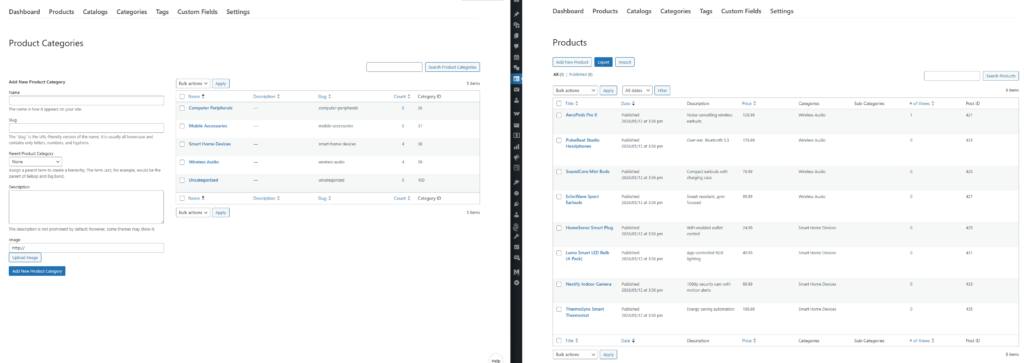
Choose a catalog plugin built for product discovery
If your WooCommerce site needs browsing, comparison, and inquiries more than a default cart flow, start with a plugin designed for catalog-first merchandising.