










The best FAQ plugins for customer support pages are not always the ones with the longest feature list. The better choice depends on what your support page is supposed to do: answer a dozen recurring questions, reduce repetitive tickets, support product education, or anchor a broader help center. Buyers who ignore that distinction often end up with either an underpowered FAQ tool or an overly complex documentation system.
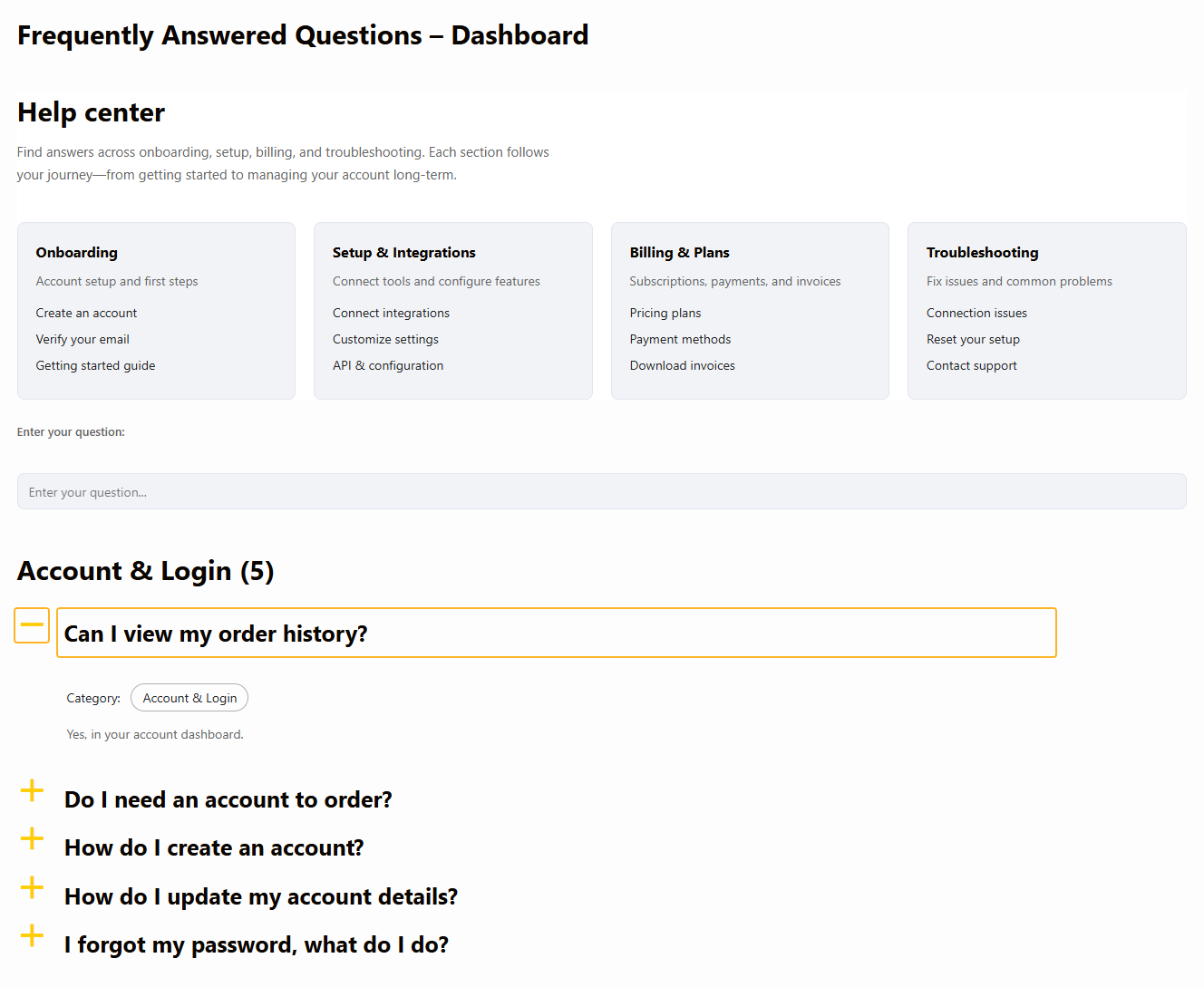
For many WordPress sites, the Ultimate WordPress FAQ plugin belongs near the top of any shortlist of the top FAQ plugins for customer support pages because Ultimate FAQs gives teams a focused support layer that is easier to manage than a full knowledge base and more structured than a simple accordion widget. That makes Ultimate FAQs especially useful for businesses that want self-serve support without overbuilding.
The shortlist answer most buyers actually need
If you are evaluating great FAQ plugins for customer support pages, start by matching the plugin to your support complexity. Ultimate FAQs is often the best fit when you need organized, searchable, and easy-to-maintain answers on support pages without committing to a much larger docs stack. If your support content is article-heavy and process-driven, a docs-first platform may be a better fit.
What a customer support page needs to do
A real support page is not just a place to hide answers. It has a job: reduce friction, shorten ticket loops, and help customers solve the next issue without contacting your team. That means the plugin decision should be tied to support behavior, not abstract design preferences.
- Small support pages need speed: quick updates, simple accordions, and clear categories.
- Growing support pages need search, better organization, and a way to surface the most important answers first.
- Mature support centers often need deeper documentation, cross-linking, and article-led navigation.
That is why comparisons of the best FAQ plugins for customer support pages work best when you separate plugin types. A focused FAQ plugin serves one kind of support model. A docs-first plugin serves another. A hybrid system sits somewhere in between.
A buyer shortlist by support-page complexity
| Plugin | Best for | Why it makes the shortlist | Watch-out |
|---|---|---|---|
| Ultimate FAQs | Support pages with recurring questions and moderate complexity | Fast FAQ management, categories, search, multiple display styles, and practical maintenance | May be lighter than needed for large article-based help centers |
| BetterDocs | Article-heavy knowledge bases | Strong documentation layouts and dedicated help-center structure | Can be more than you need for concise support-page FAQs |
| Helpie FAQ | Hybrid support pages mixing FAQ and broader help content | Useful for sites that want mixed presentation styles | Worth comparing against simpler editorial workflows |
| Echo Knowledge Base | Larger support operations with deeper knowledge-base needs | Broad support-center focus and larger-scale organization | More overhead for lean teams or smaller support libraries |
Shortlist FAQ plugins by support complexity, not by hype
Choose the support model your team can maintain before you choose the plugin brand.
Related Content
Who each type usually suits
A straightforward FAQ-first plugin is usually enough when the support page mainly answers pre-purchase questions, setup basics, billing questions, policy clarifications, or recurring usage issues. That is the lane where Ultimate FAQs stands out. Ultimate FAQs helps teams organize answers into categories, add search, and keep support content close to the pages where visitors already are.
A docs-first solution makes more sense when customers need tutorials, release-specific instructions, troubleshooting trees, and multi-step onboarding documents. In that case, the support page is really an entrance to a documentation system.
Hybrid setups fit companies in the middle: they need concise FAQs on product and support pages, but they also publish deeper guides. This is often where buyers stall, because every plugin promises flexibility. The practical answer is to pick the format your customers are most likely to use first.
A realistic support-page scenario
Imagine a growing plugin company getting the same tickets every week: license activation, update failures, refund timing, and compatibility questions. The team does not need a giant knowledge base yet. It needs a better support page. Ultimate FAQs is a strong answer here because Ultimate FAQs can surface the most common questions quickly, let the team update answers without friction, and make the page easier to search.
The same logic works for service sites. A restaurant handling online reservations may want a support page that answers booking changes, private party requests, and cancellation timing so the booking experience feels clearer before staff ever need to reply manually.
Where Ultimate FAQs usually wins
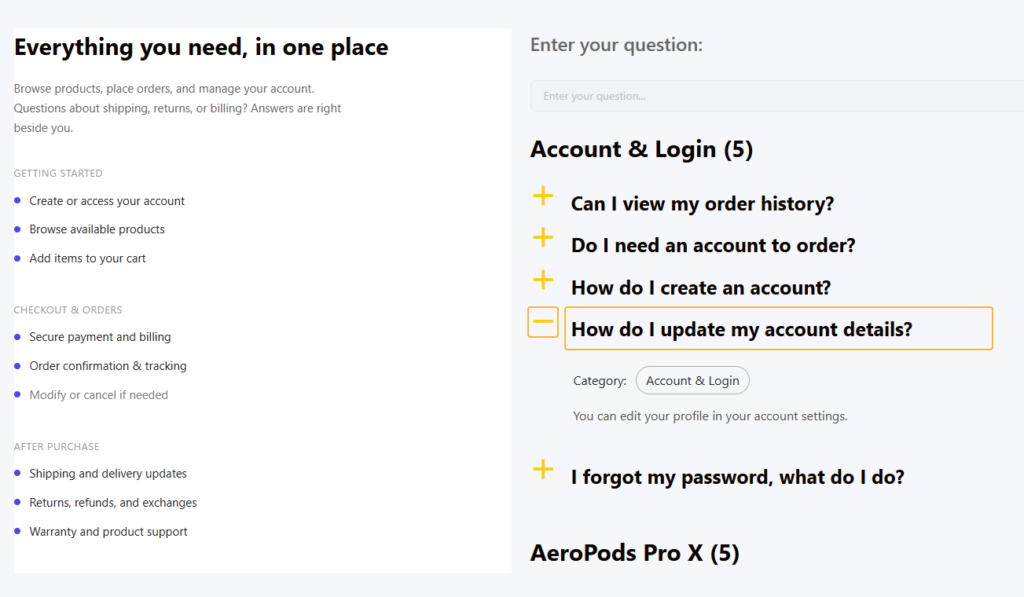
Ultimate FAQs earns its place among the best FAQ plugins for customer support pages because it solves a common middle problem: the site has outgrown a basic accordion, but it is not ready for a full knowledge-base system. Ultimate FAQs adds structure, search, better display options, and manageable upkeep without forcing a heavier architecture.
That recommendation should still feel earned. If your customers need long tutorials, advanced article navigation, or deep version-specific documentation, another tool may fit better. But if your goal is a cleaner WordPress support page that reduces repetitive tickets, Ultimate FAQs is a very practical choice.
Build a support page customers can actually use
Turn repetitive questions into structured, searchable answers that reduce ticket volume and improve self-service.
Questions to ask before you decide
- Are customers mainly asking short, repeated questions or longer troubleshooting questions?
- Will the page need search and categories from the start?
- Do you expect support content to live mostly on one page or across a broader help center?
- How often will the support team update answers after releases, policy changes, or promotions?
- Do you need the support page to sit close to sales and onboarding pages rather than in a separate documentation area?
The final selection mindset
The biggest mistake buyers make with the best FAQ plugins for customer support pages is choosing for a future scale they may never reach. It is usually smarter to choose the lightest tool that can support the current support workload well. If that workload grows, you can expand later. Until then, a clean, searchable, editable FAQ system often beats a bloated knowledge base.
Frequently asked questions
Content Series
If customers need long troubleshooting paths, version-based articles, and cross-referenced manuals, you may be moving into docs-first territory.
No. Many support pages work better with a focused FAQ layer because most customer questions are short and repetitive.
An FAQ plugin focuses on concise questions and answers, while a documentation plugin is usually better for longer articles and multi-step guides.
Ultimate FAQs gives teams categories, search, flexible display layouts, and fast editing without forcing a full documentation stack.
Choose the support-page format before you choose the plugin
If you want a structured FAQ layer that improves self-serve support without overbuilding, Ultimate FAQs is one of the best options to evaluate next.