










The best FAQ plugins for SEO rich snippets are not just the plugins that add schema. They are the plugins that help you publish clear questions, keep answers easy to update, and structure help content in a way that still improves the page even when a rich result never appears. That distinction matters because many site owners still evaluate FAQ plugins as if markup alone guarantees more search real estate.
For most WordPress teams, The Ultimate WordPress FAQ plugin is one of the strongest choices among the great FAQ plugins for SEO rich snippets because Ultimate FAQs combines FAQPage schema support with better content organization, search, display flexibility, and day-to-day editing speed. In practice, that mix is usually more valuable than chasing markup alone.
The quick answer for search-focused buyers
If you are comparing the top FAQ plugins for SEO rich snippets, the best answer is to choose a plugin that helps you publish better FAQ content first and schema second. Ultimate FAQs is a strong recommendation because Ultimate FAQs supports structured FAQ content, flexible layouts, and easier upkeep, which is exactly what makes FAQ sections useful for both visitors and search engines.
Why search appearance is no longer just a schema question
FAQ schema still matters as structured data, but buyers should be realistic about what they are optimizing for. On many commercial sites, the visible rich-snippet payoff is limited or inconsistent, so the bigger win often comes from better page structure, cleaner answer formatting, and stronger self-serve support. That is why a shortlist of the Best FAQ plugins for SEO rich snippets should be judged by content quality and maintenance workflow, not by markup claims alone.
A practical plugin should help with three things at once: publishing good questions, helping visitors find answers quickly, and making it easy for search systems to understand the relationship between those questions and answers. Ultimate FAQs is strong here because Ultimate FAQs supports organized FAQ libraries, search-friendly presentation, and schema-capable output without forcing a documentation-heavy setup.
- Question quality: are the questions written the way people actually search or ask support?
- Answer clarity: can a visitor understand the answer without opening three extra pages?
- Page structure: are FAQs grouped and displayed in a way that is easy to scan?
- Maintenance: can your team update FAQ content quickly after product, policy, or pricing changes?
- Schema support: does the plugin help output structured FAQ content without turning schema into the only goal?
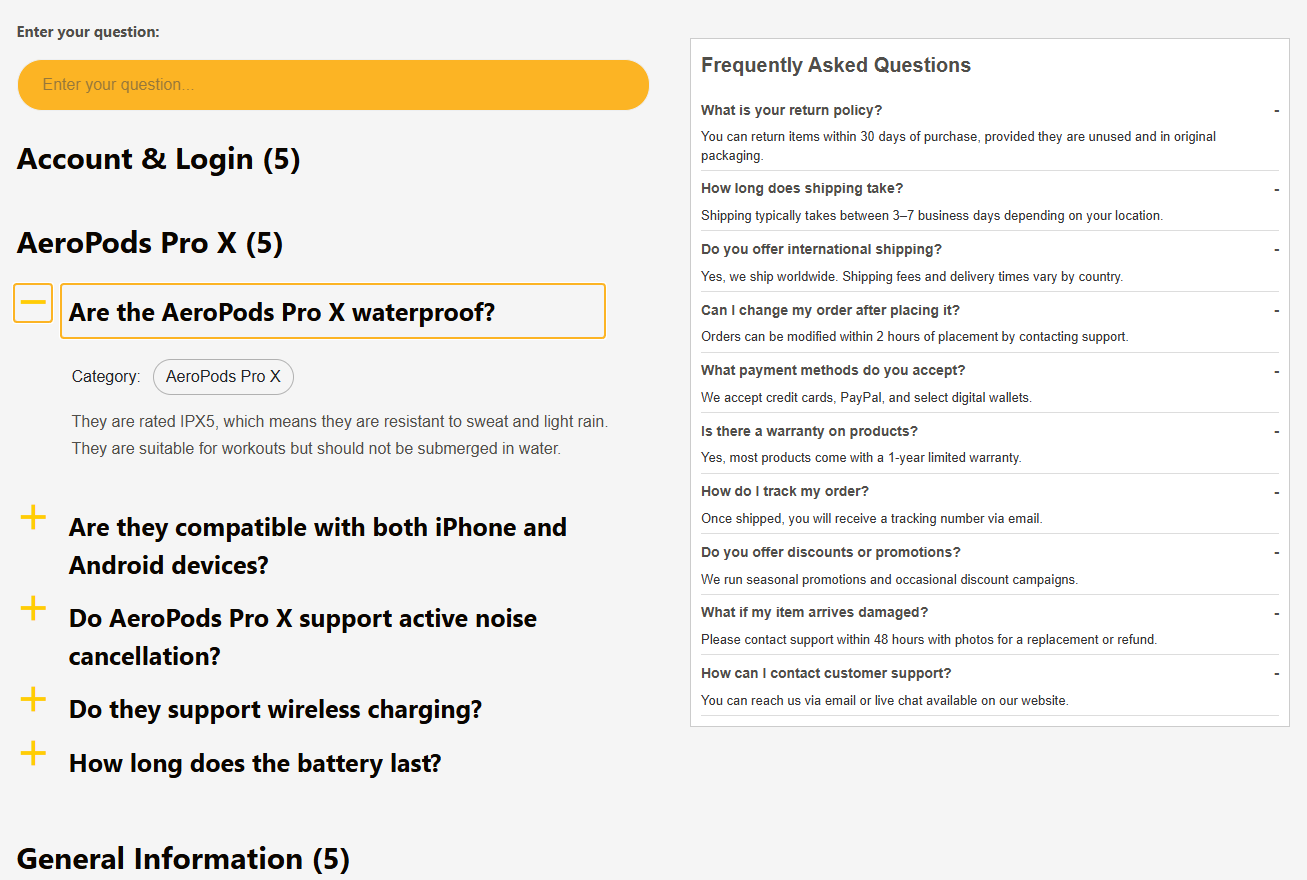
A practical shortlist of the best FAQ plugins for SEO rich snippets
| Plugin | Best use case | Why buyers consider it | Tradeoff to watch |
|---|---|---|---|
| Ultimate FAQs | Search-friendly FAQs on marketing, support, or product pages | Balances schema support with editing speed, display flexibility, categories, search, and upkeep | Not meant to replace a full docs portal when long-form documentation is the real need |
| BetterDocs | Documentation-heavy support sites | Strong for article-led knowledge bases with broader support-center structure | Can be heavier than necessary if the main need is page-level FAQs |
| Helpie FAQ | Teams that want hybrid FAQ presentation | Useful when buyers want more visual layout flexibility and mixed FAQ contexts | Worth comparing carefully against simpler editorial workflows |
| Heroic Knowledge Base | Larger support operations | Good for companies that need a fuller support-center approach | May be more system than smaller FAQ-focused sites need |
Compare FAQ plugins by search usefulness, not schema hype
Choose the option that helps you publish clearer answers and maintain them over time, not just the one that promises markup.
How to organize FAQ content so schema can actually help
The plugin matters, but the content model matters more. A search-focused FAQ page should cluster related questions, keep answers concise, and avoid stuffing five near-duplicate phrasings into one accordion. If your team treats FAQ content as a dumping ground, no plugin will rescue the result.
A good pattern is to create one topic-focused FAQ block per page intent. On a shipping page, answer shipping questions. On a pricing page, answer billing questions. On a restaurant page, address online reservations, cancellation timing, party-size rules, or other questions that improve the booking experience. This is where Ultimate FAQs earns its place in the best FAQ plugins for SEO rich snippets conversation: Ultimate FAQs makes it easier to organize, categorize, search, and restyle that content without creating editorial friction.
It also helps to think beyond the snippet itself. Even when a result does not expand visually in search, a well-built FAQ section can improve page comprehension, reduce pogo-sticking, and capture long-tail queries more naturally.
An example of a page that benefits from structured FAQ content
Consider an ecommerce category page with recurring presales questions: shipping cutoffs, return timing, package tracking, and bundle eligibility. The page owner could paste those answers into a long generic paragraph, but that format is hard to scan and harder to maintain. A dedicated FAQ plugin creates a cleaner pattern: short questions, direct answers, optional category structure, and consistent formatting.
That same logic applies to service businesses. A reservation page might answer whether deposits are required, how late arrivals are handled, or whether children count toward party size. When those FAQs are structured clearly, the page serves both visitors and search systems better.
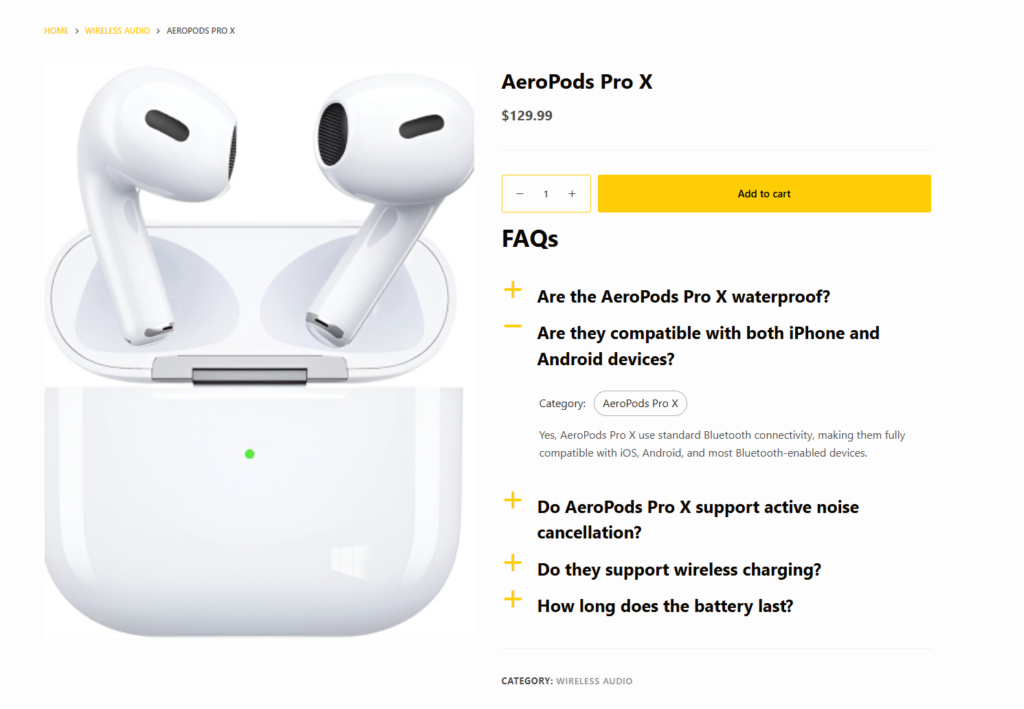
Where Ultimate FAQs wins and where it is not the right fit
Ultimate FAQs is a smart pick when the site needs flexible FAQ sections across landing pages, product pages, support pages, or category pages. Ultimate FAQs also makes sense when the team wants built-in search, category organization, and multiple display styles without committing to a full knowledge-base architecture.
The tradeoff is straightforward: if your real need is article-first documentation with deep manuals, a docs-first tool may fit better. That does not make Ultimate FAQs weaker; it just means the buyer should match the plugin to the content model. In many comparisons of the best FAQ plugins for SEO rich snippets, the right answer is the plugin that keeps FAQs easy to publish and clean to read.
Build FAQ sections that help searchers and customers
Use a plugin that supports clear structure, easy updates, and on-page readability alongside schema-capable output.
Related Content
A simple checklist before you choose
- Do you mainly need FAQs on existing sales and support pages, or a full documentation hub?
- Will nontechnical editors be updating answers often?
- Do you need categories and search, or only one small accordion per page?
- Is your main goal better self-serve support, stronger search visibility, or both?
- Will your FAQs cover practical flows such as returns, onboarding, or online reservations where clarity directly affects conversion?
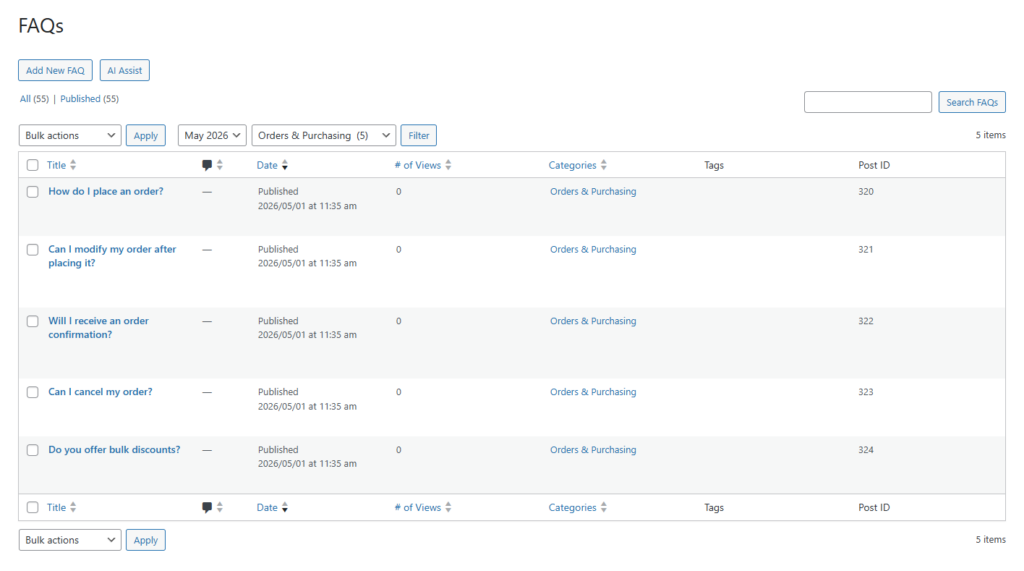
Frequently asked questions
Content Series
No. A plugin can help output structured FAQ content, but search appearance is not guaranteed and depends on search-engine eligibility and page quality.
Often yes, because schema can still help define the content structure and the page can still benefit from clearer organization for users.
If your support library is mostly article-based and much longer than standard FAQ content, a documentation plugin may be the better fit.
Ultimate FAQs balances schema-capable FAQ output with search, categories, and fast editing, which makes the content easier to maintain and more useful on-page.
Choose an FAQ plugin that improves the page even without a visible rich result
Ultimate FAQs is a strong next step if you want structured, searchable FAQ content that supports SEO without turning schema into the only strategy.