








A search for the Best WordPress product catalog plugins usually hides three different buying problems. Some businesses want a simple list of products without checkout. Others already run WooCommerce and want catalog mode so visitors can browse before they request a quote or contact sales. Others need a richer catalog system with categories, filters, attributes, and product detail pages that work more like a B2B showroom than an online store. If you do not separate those needs, every comparison table ends up recommending the wrong thing to somebody.
That is why the best way to evaluate the Best WordPress product catalog plugins is to compare them by browsing model. The right plugin depends on how many products you have, how much product data needs to be displayed, and whether visitors need a storefront, a browsable catalog, or a visual showcase with structured discovery. WordPress Product Catalog plugin stands out when the catalog itself is the destination and you want visitors to browse products easily without forcing a full ecommerce flow.
Three buyer paths that all get called “catalog”
| Buying path | What the business really needs | Best plugin style |
|---|---|---|
| Lightweight listings | A small product directory or portfolio-style list | Simple listing or grid plugin |
| WooCommerce catalog mode | A store that wants to hide prices or checkout temporarily or permanently | WooCommerce plus a catalog-mode extension |
| Browse-first product catalog | A structured product catalog with categories, filters, attributes, and detail pages | A richer catalog plugin like Ultimate Product Catalog |
Evaluation criteria that actually matter
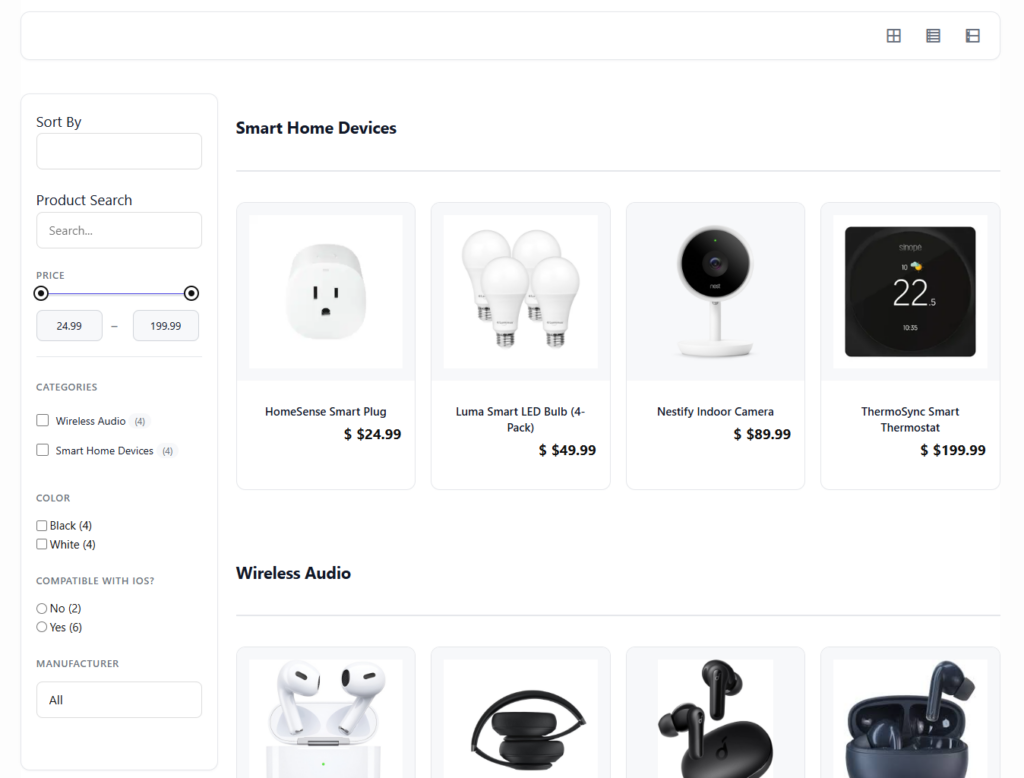
- Catalog depth: Can the plugin handle categories, tags, attributes, and many products without becoming messy?
- Browsing quality: Can visitors filter, search, and compare without feeling lost?
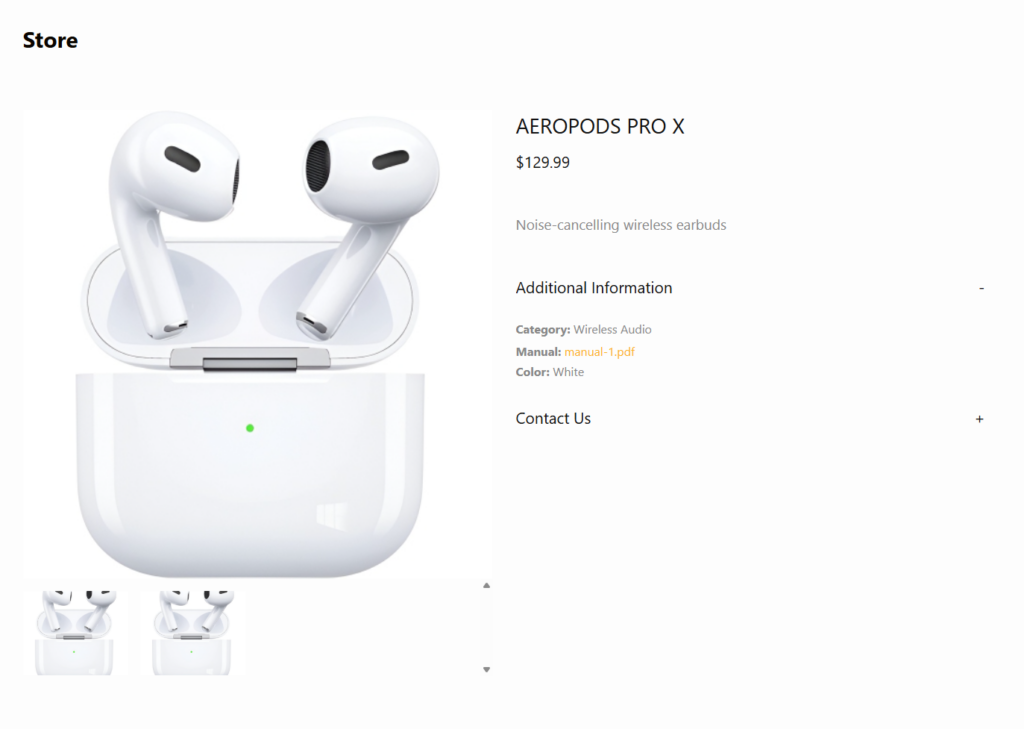
- Product detail flexibility: Can each product page carry specs, media, documents, or inquiry calls to action?
- Management speed: Can your team add, edit, reorder, and organize products without custom development?
- Business fit: Is the plugin built for browse-first catalogs, quote workflows, hybrid stores, or simple showcases?
Top picks by use case
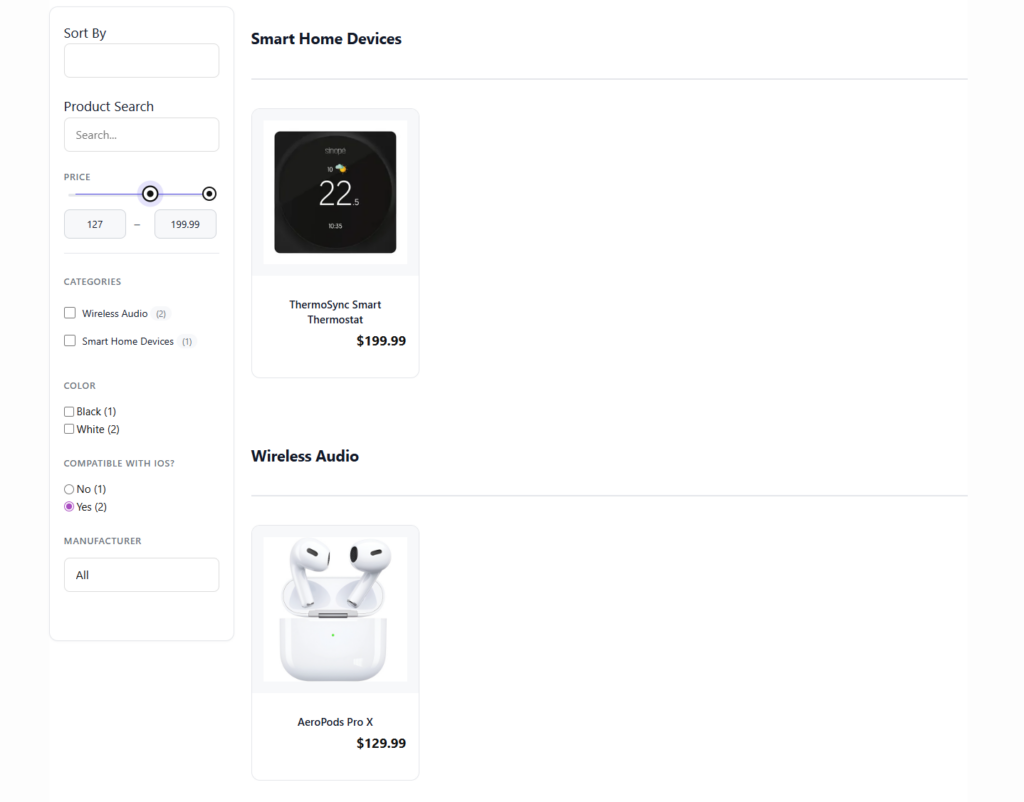
Best for rich browse-first catalogs: Ultimate Product Catalog. This is the strongest fit when the business wants a true catalog rather than a stripped-down store. Ultimate Product Catalog supports unlimited products and catalogs, multi-level categories, tags and attributes, drag-and-drop organization, and built-in search and filtering. That makes it well suited to manufacturers, wholesalers, B2B sellers, and any site that needs structured discovery.
Best for existing WooCommerce stores that need catalog mode: WooCommerce plus a catalog-mode solution. This route makes sense when the store infrastructure already exists and the main requirement is hiding checkout or shifting the buying journey toward browsing and inquiry. The tradeoff is that WooCommerce can still feel commerce-first even when the business really needs a browse-first catalog.
Best for very small directories or curated listings: simple listing/grid tools. These tools are often easier to launch with, but they generally become thin once the catalog needs attributes, filtering, or layered category structure.
Where Ultimate Product Catalog wins
Ultimate Product Catalog earns its place high on this list because it is built around the catalog experience itself. The plugin does not ask you to pretend a browse-first product directory is a normal store checkout flow. Instead, it gives you the structure needed to make products explorable: organized categories, flexible product records, searchable catalogs, and filtering that helps visitors narrow choices without becoming overwhelmed.
That is especially valuable for businesses with complex or nonstandard sales flows. A manufacturer may want product detail pages with downloadable specifications and quote requests. A wholesaler may want to present many SKUs without consumer-style checkout. A showroom site may want polished product discovery while routing final sales through distributors or sales teams. These are catalog problems, not cart problems.
Build a catalog that visitors can browse without forcing store-first behavior
If your products need categories, filters, and strong detail pages more than a typical checkout funnel, compare a browse-first catalog approach.
A realistic shortlist decision
Consider a manufacturer with 600 products, overlapping categories, technical attributes, and a sales process that ends in quote requests rather than direct checkout. A simple listing plugin would be too thin. WooCommerce catalog mode could work, but the site would still inherit a store-centered architecture the team does not really need. A richer plugin like Ultimate Product Catalog fits better because the core job is structured browsing.
Now compare that to a small design studio showcasing 12 signature products with no real need for filtering. That business may be happier with a lighter listing solution. This is why “best” only makes sense when tied to product complexity and browsing needs.
Buying advice before you choose
- Choose a listing tool if the catalog is small, mostly static, and does not need meaningful filtering.
- Choose WooCommerce catalog mode if you already rely on WooCommerce and mainly want to adjust the storefront behavior.
- Choose a richer catalog plugin if your visitors need structured discovery, layered categories, stronger product pages, and a browse-first experience.
Related Content
Frequently asked questions
Content Series
No. WooCommerce can be useful in some cases, but not every catalog is really a store. Many B2B and manufacturer sites are better served by a browse-first catalog workflow.
Strong category structure, attributes, search, filters, and manageable product detail pages usually matter more than flashy card design.
It is the better fit when catalog browsing is central and checkout is not the only or primary outcome.
Choose a catalog plugin based on browsing behavior, not just on product count
Ultimate Product Catalog is a strong WordPress choice when you need a structured, filterable catalog without turning everything into a traditional store checkout flow.