










The Best product showcase plugins for WordPress do more than place products into attractive boxes. A real showcase plugin helps visitors discover, compare, and understand products without drowning them in clutter. That means good image presentation, clear specs, thoughtful category structure, and enough filtering to support exploration. A gallery can make products look good for a moment. A showcase system helps people move through a product set with confidence.
That is the lens this page uses for the Best product showcase plugins for WordPress. Instead of comparing plugins only by design options, it compares them by how well they support visual presentation and structured discovery. WordPress Product Catalog plugin is especially strong when the site needs that combination. It lets WordPress teams present products attractively while still giving visitors a clear way to browse, filter, and compare without feeling dropped into a full ecommerce checkout flow.
What showcase-heavy product pages need that galleries do not
- A consistent product record, not just an image and a caption
- A way to group products by category, collection, or use case
- Space for specifications, differentiators, downloadable assets, or inquiry links
- Search and filtering so the visitor can narrow a visual catalog without endless scrolling
- A strong product detail view that extends the showcase beyond the grid
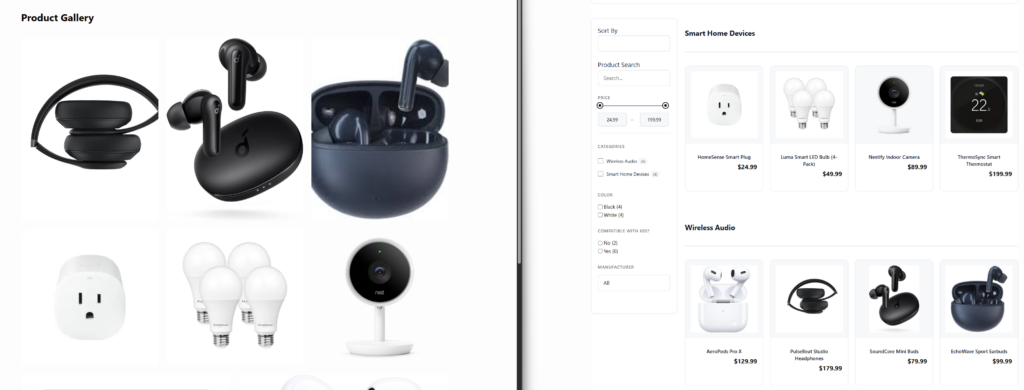
Five display patterns buyers should evaluate
Card grid
This is the default pattern most buyers picture first. It works well when the visual identity of each product matters and the visitor is browsing broadly. The weakness is that card grids become shallow quickly if there is no deeper structure behind them.
Category landing pages
These become important once the showcase grows. They let visitors enter the catalog through a use case, product family, or collection rather than a giant all-products grid.
Filter-driven discovery
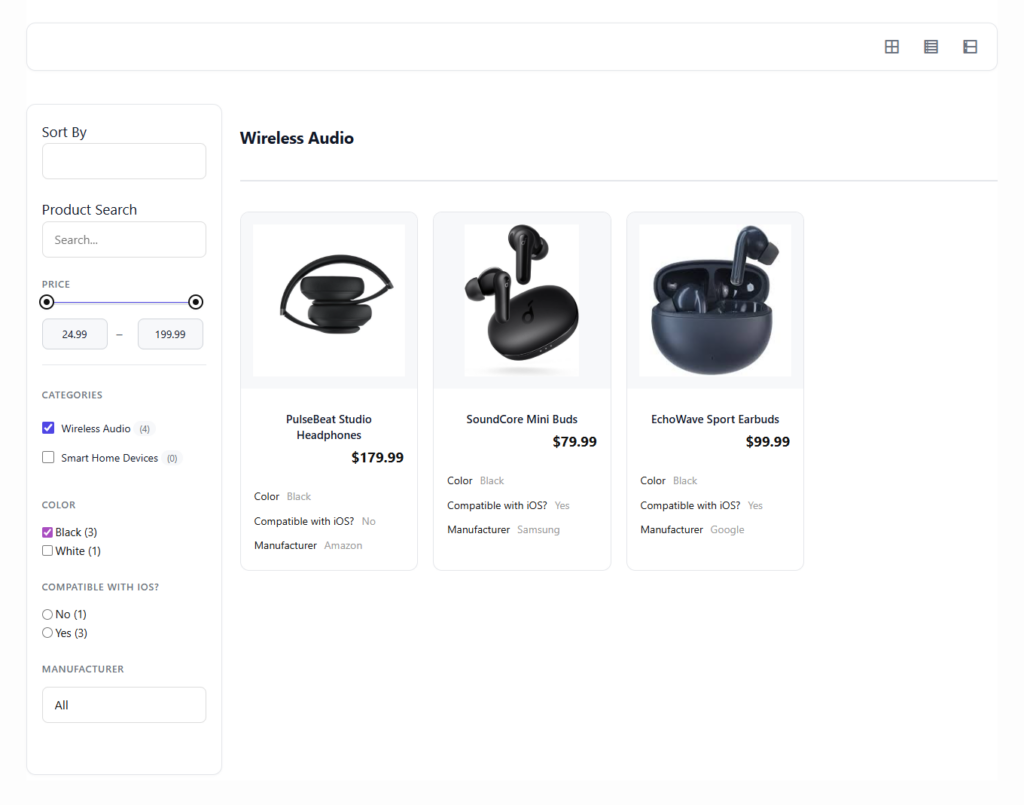
For larger product sets, filters matter as much as the design. A showcase that looks beautiful but cannot be narrowed is frustrating.
Detail pages with specs
The showcase is only as persuasive as the product page it leads to. Strong detail pages turn interest into informed comparison.
Hybrid visual-plus-inquiry flow
Many WordPress sites need visitors to browse visually, then request a quote, ask for more information, or contact sales rather than buy directly. That workflow changes what “best” looks like.
| Plugin style | Visual strength | Structured discovery | Best fit |
|---|---|---|---|
| Simple gallery/showcase plugins | High for small collections | Low to moderate | Lookbooks, portfolios, very small product sets |
| Page-builder grids | Moderate to high | Low to moderate | Custom landing pages with limited product depth |
| WooCommerce-based showcases | Moderate to high | Moderate | Sites already built around store infrastructure |
| Catalog plugins like Ultimate Product Catalog | High | High | Businesses that need both presentation and scalable browsing |
Top picks by visual use case
Best all-around product showcase for structured browsing: Ultimate Product Catalog. This is the strongest choice when you want product presentation to stay elegant while still giving visitors meaningful category, tag, attribute, search, and filtering tools. It is particularly effective for manufacturers, wholesalers, and B2B sellers who need more than a gallery but less than a hard-sell ecommerce funnel.
Best for tiny visual collections: gallery-style plugins. These are fine when the point is simply to display a few products attractively and there is little need for comparison or layered browsing.
Best for store-led visual merchandising: WooCommerce-centered solutions. These make sense when checkout already sits at the center of the business and the showcase exists mainly to support store browsing.
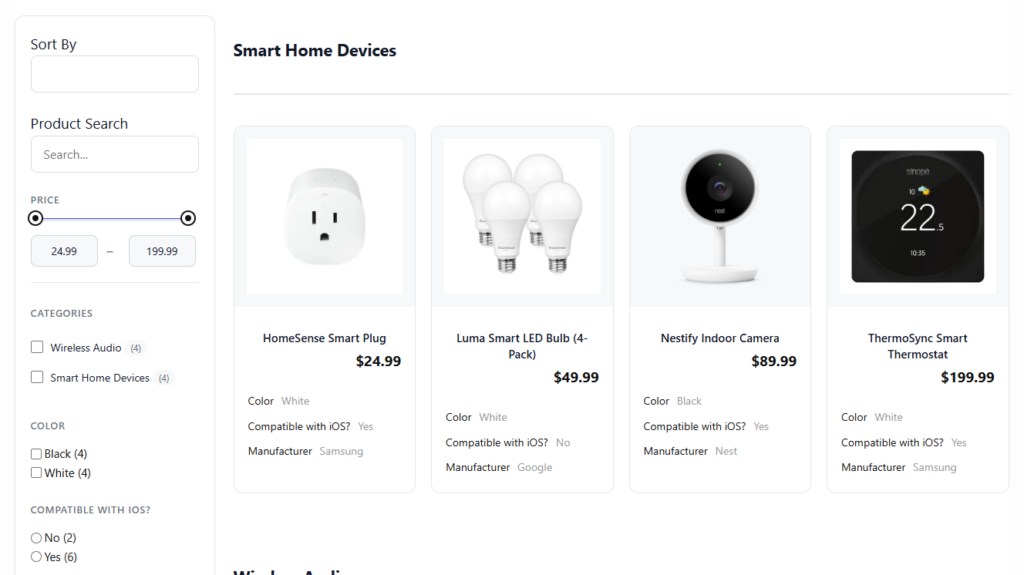
Turn a nice-looking product grid into a real product discovery experience
If you want visitors to browse, filter, and compare products without a cluttered store-first flow, compare showcase plugins by discovery quality.
An example layout that works
A strong WordPress product showcase often follows a three-layer structure. First, the visitor lands on a category or collection page with a clear visual identity and a manageable number of products per row. Second, filters help narrow the set by use case, spec, or product family. Third, each product detail page expands the visual impression into an informed decision with specs, feature highlights, media, and next-step calls to action.
Ultimate Product Catalog is well suited to this structure because it can support both the visual front end and the data structure underneath it. A pure gallery plugin may make layer one look good, but it often struggles with layers two and three. That is the difference between a showcase that impresses and a showcase that converts curiosity into qualified interest.
Related Content
How to choose without overbuilding
- Use a gallery-style plugin if you have a small, static product set and visual presentation is the whole job.
- Use a WooCommerce-based solution if your product showcase is tightly tied to a store experience you already run.
- Use a catalog plugin if you need images, specs, filters, categories, and richer product pages to work together.
Frequently asked questions
Content Series
A gallery mostly presents images. A showcase plugin should also help visitors browse, compare, and understand products in a structured way.
It is a strong fit when you want a visually strong product showcase but also need categories, attributes, search, filtering, and richer product detail pages inside WordPress.
Because presentation alone is not enough once the catalog grows. Visitors need a way to move through the product set efficiently.
Choose a plugin that makes products easy to explore, not just easy to display
Ultimate Product Catalog is a strong WordPress option when your showcase needs visuals, structure, and browsing tools working together.