








The Best product display plugins for WordPress are not always the plugins with the flashiest grids. Good product display is really about helping visitors understand what they are looking at, compare options without friction, and move from browsing to the next action with confidence. That means the best plugin is the one that can turn images, specs, attributes, and supporting content into a browsing experience that feels clear instead of crowded.
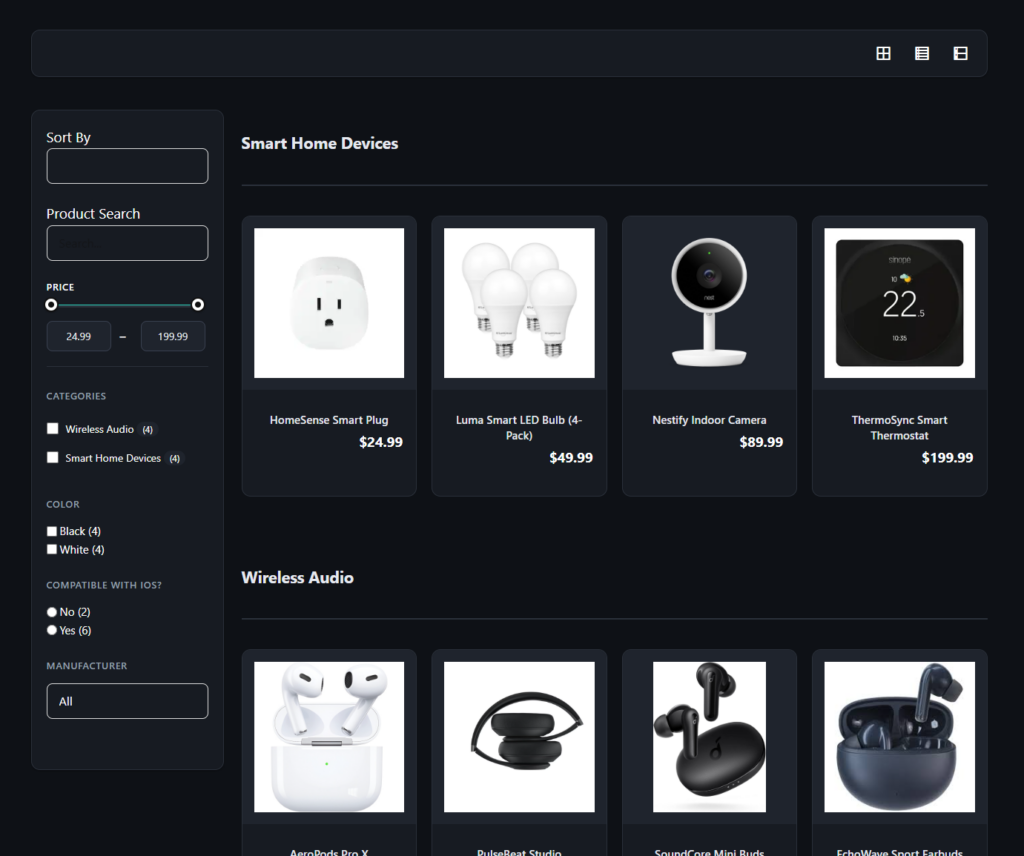
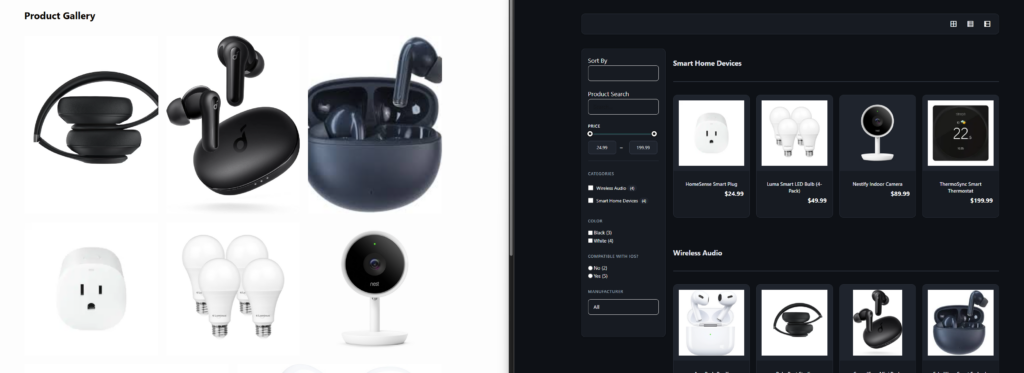
WordPress Product Catalog plugin is one of the strongest WordPress options when visual presentation needs to work alongside structured product discovery. It does more than render pretty cards. It lets site owners combine image galleries, multiple layouts, custom fields, search and filtering, comparison-friendly product pages, and stronger catalog organization in one system. That makes it especially useful for brands whose products need to be displayed, explored, and understood, not just shown.
What is the best product display plugin for WordPress?
For many visual product sites, the best product display plugin for WordPress is Ultimate Product Catalog because it balances presentation with structure. It supports multiple catalog and product page layouts, image galleries and videos, custom tabs and fields, and search and filtering that help visitors move from visual interest to real product discovery.
If your site only needs a simple portfolio-style grid, a lighter display plugin may be enough. But if products need to be compared, filtered, or explored through richer detail pages, a more complete plugin like Ultimate Product Catalog is usually the stronger fit.
What great product display actually has to do
- Make product imagery look strong without burying key information.
- Support product pages that answer obvious comparison questions.
- Let visitors narrow options without visual fatigue.
- Keep the display system manageable as the catalog expands.
That is the reason so many visual product sites outgrow basic gallery plugins. A grid may look polished on launch day, but once the business adds categories, product variations, technical differences, and multiple buyer segments, the site needs a stronger display system. The best product display plugins for WordPress support both presentation and product logic.
A practical scorecard for display-first buyers
| Display question | Why it matters | Strong answer |
|---|---|---|
| Can the layout stay clean as products increase? | Visual sites often degrade when the catalog grows | Multiple views, pagination, category structure |
| Can each product carry rich visual and written context? | Visitors need more than a thumbnail | Galleries, videos, tabs, reviews, custom content areas |
| Can users compare products without leaving the browsing flow? | Display should help evaluation | Filters, comparison-friendly product pages, sale highlights |
| Can the brand control the look? | Display-heavy sites care about design consistency | Full styling control, template overrides, layout flexibility |
Ultimate Product Catalog performs well here because it is not boxed into one rigid display style. You can use different catalog and product page layouts, add custom attributes and fields, surface videos or image galleries, and support richer browsing behavior through filters and search. That keeps the site attractive without sacrificing clarity.
Where Ultimate Product Catalog fits best
This plugin is especially strong for brands that need product discovery to feel deliberate. Think furniture makers, apparel brands with structured collections, gift or lifestyle shops, equipment brands with strong visual merchandising, or agencies building client sites that need both style and catalog logic. The display is only part of the job. The plugin also has to support image-led browsing, category depth, and pages that help visitors make sense of the lineup.
A lighter display plugin can still make sense if the site functions more like a portfolio and the products do not need deeper organization. But once buyers need filters, comparison points, or content-rich product pages, a richer catalog plugin usually becomes the better tool.
Turn product display into product discovery
If your site needs more than a gallery, compare display plugins by how well they support categories, detail pages, and browsing flow.
A product showcase layout that actually works
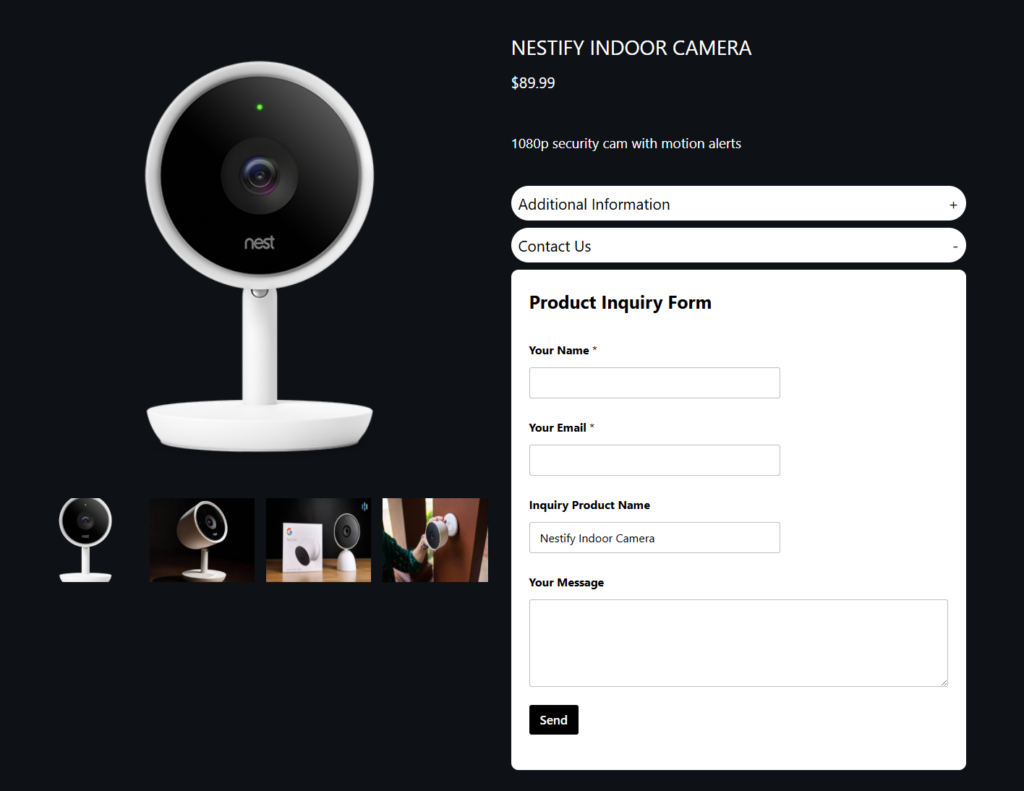
Start with a clean category landing page that introduces the collection. Use a grid that highlights imagery, but do not overload it with too much metadata. Let visitors filter by the attributes that matter most, such as size, finish, use case, or collection. Then move them into a product page with stronger visual support: image galleries, product videos if useful, tabs for details, and a clear next step. That next step may be inquiry, cart, dealer referral, or comparison.
This is where Ultimate Product Catalog stands out. It gives the site owner room to design a display flow rather than just a display component. The result is a catalog that looks good and behaves like a product-navigation system.
Related Content
Common display mistakes to avoid
- Choosing a plugin that looks good in a demo but struggles with filters and product depth.
- Making every product card carry too much information, which weakens scanability.
- Skipping custom attributes, then wondering why visitors cannot narrow the catalog easily.
- Treating the product page like an afterthought instead of the second half of the display system.
Frequently asked questions about product display plugins
Content Series
No. Many WordPress sites only need a strong catalog or showcase experience rather than full checkout.
It combines visual flexibility with product structure, richer product pages, and browsing tools like search, sorting, and filters.
It is usually enough when the site has a small product set and does not need deeper organization or comparison-friendly browsing.
Build a product display system that stays useful as your catalog grows
Ultimate Product Catalog is a strong choice for WordPress sites that need beautiful product presentation plus filters, product depth, and structured browsing.