





Blog
How to Set Up and Maximize SMS Notifications in Order Tracking
Read Post →
Custom product page layout
There are three main layouts for your product page (default, tabbed and custom).nnThe custom page layout allows you to create your own layout by adding field boxes onto an area. This can be made under the Product Page tab.nnHere are the steps to follow to set up your custom page:
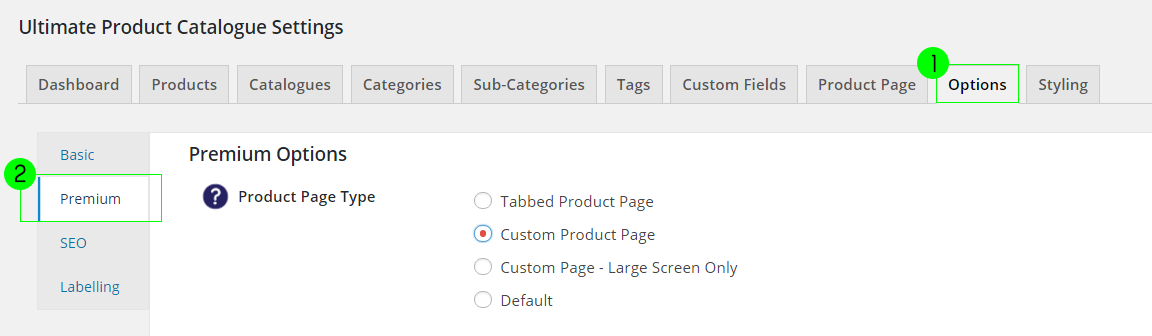
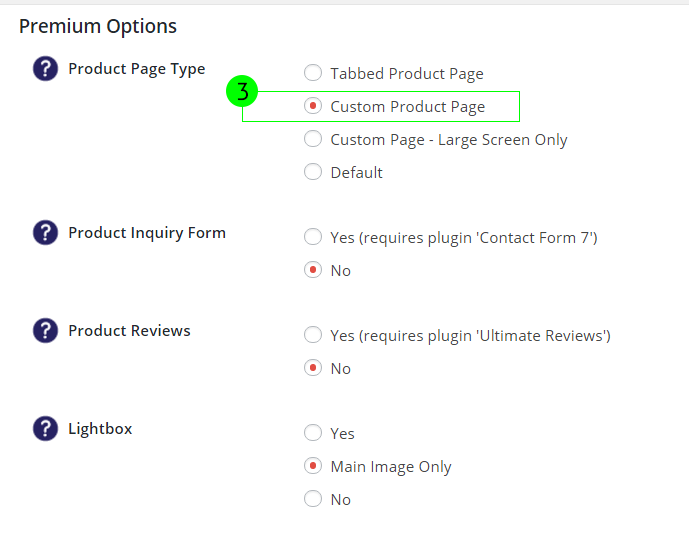
- Go to Options > Premium
- Set Product Page Type to Custom Product Page
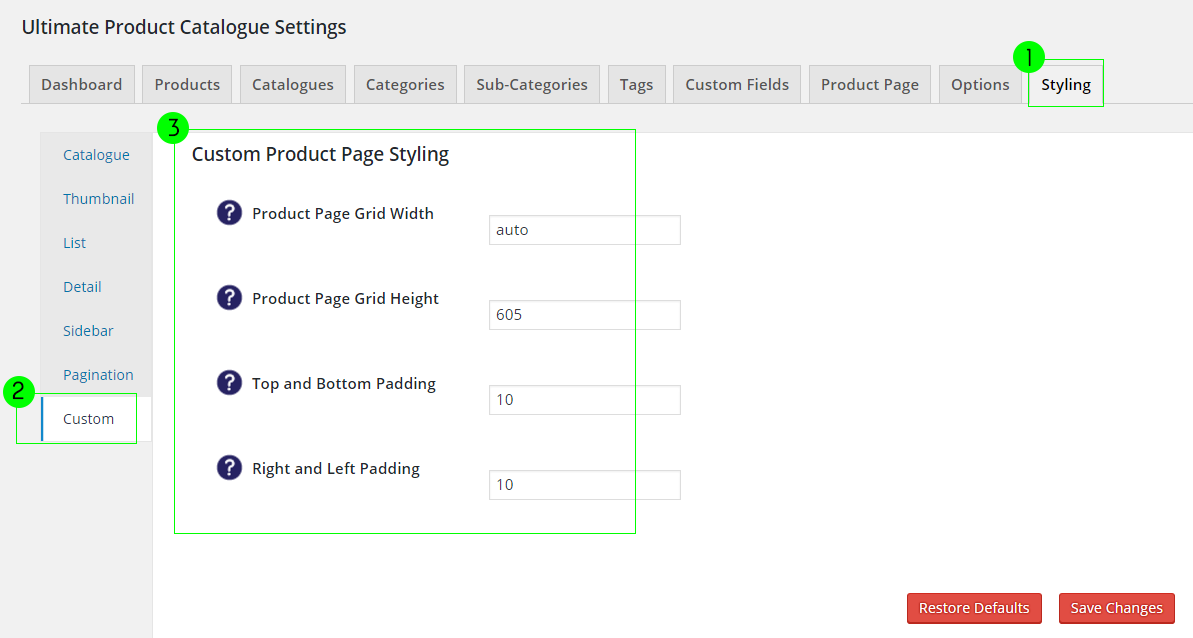
- Go to Styling > Custom
- Set the grid size of the product page
- Save changes
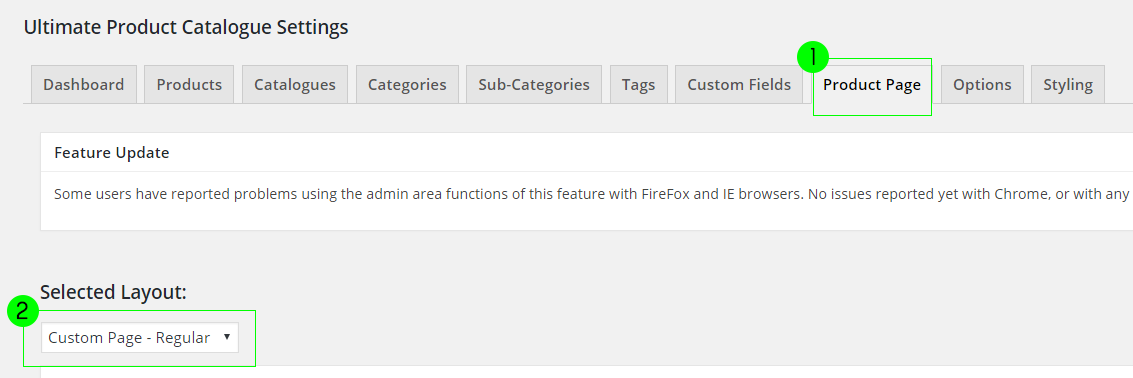
- Go to Product Page tab
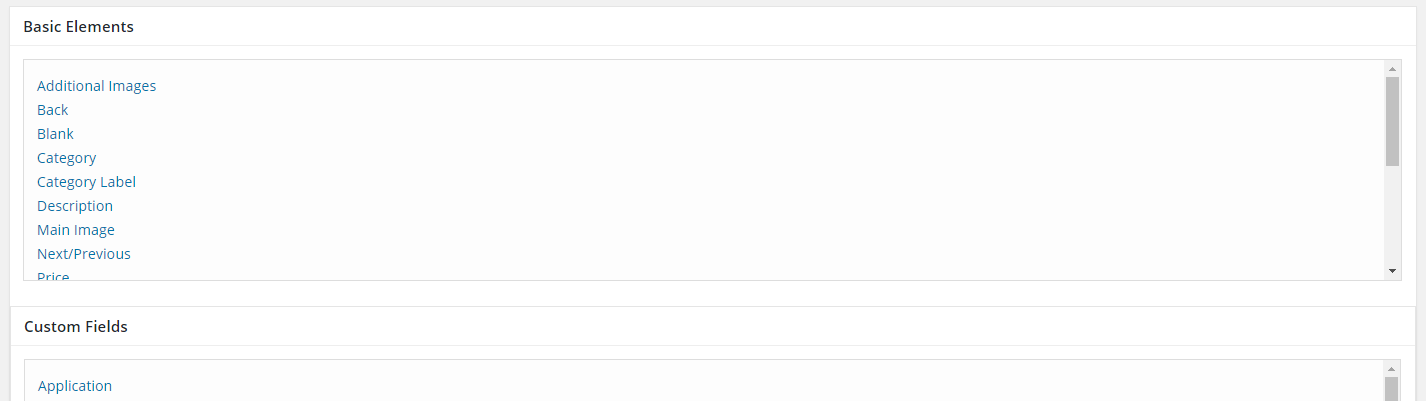
- Add fields by clicking them on the list
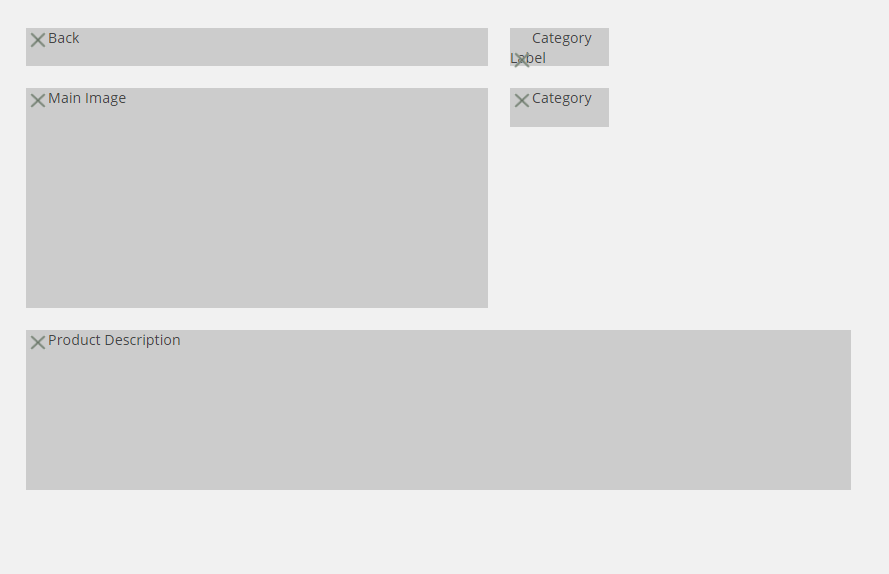
- Click and drag to place and to resize the field boxes in the area below
- Save Layout
 n
n
 n
n
 n
n
 n
n
 n
n
 n
n
 n
n



Discover all of our WordPress plugins
Browse Plugins