









Blog
How to Set Up and Maximize SMS Notifications in Order Tracking
Read Post →
Adding custom CSS
- n
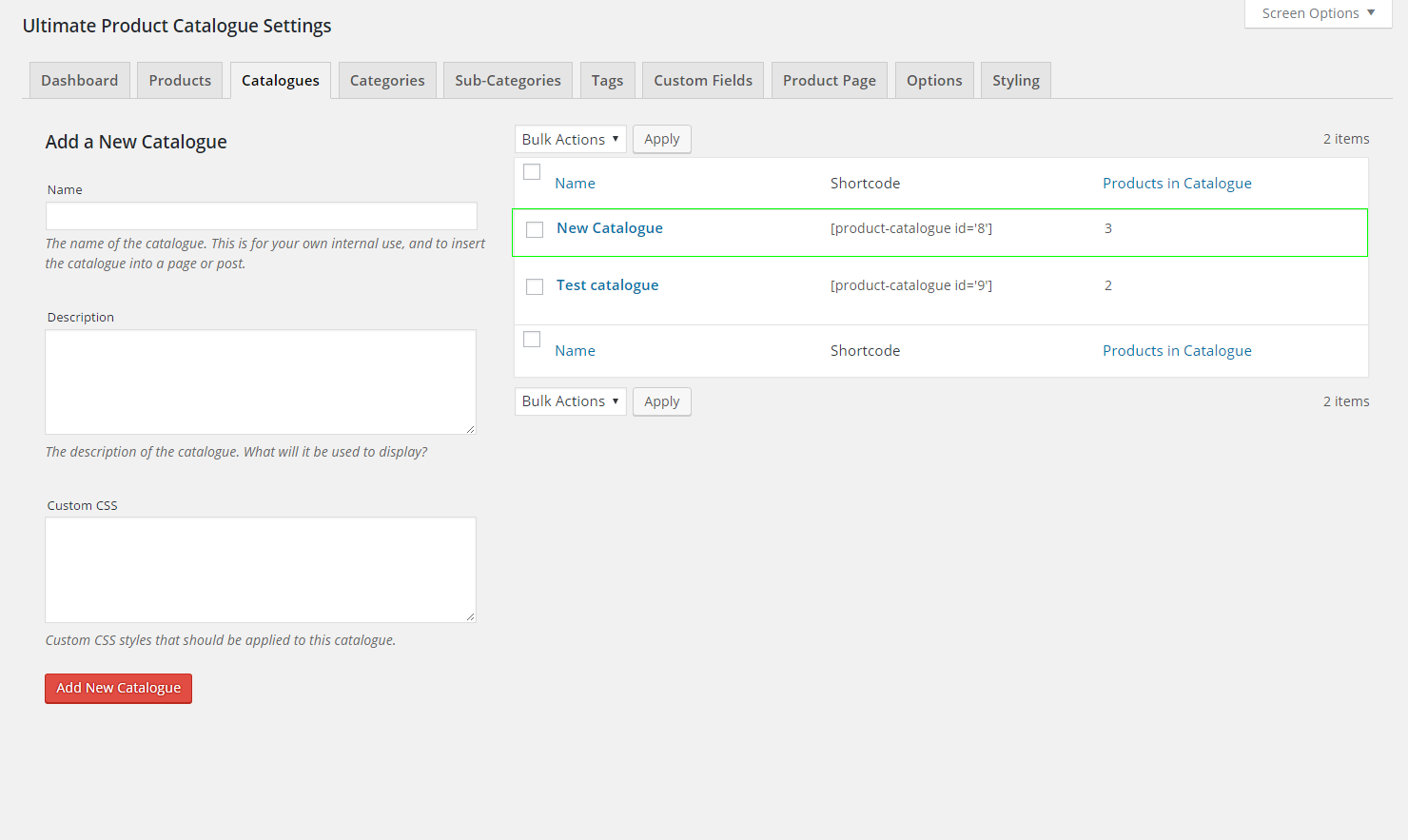
- Click on Catalogues
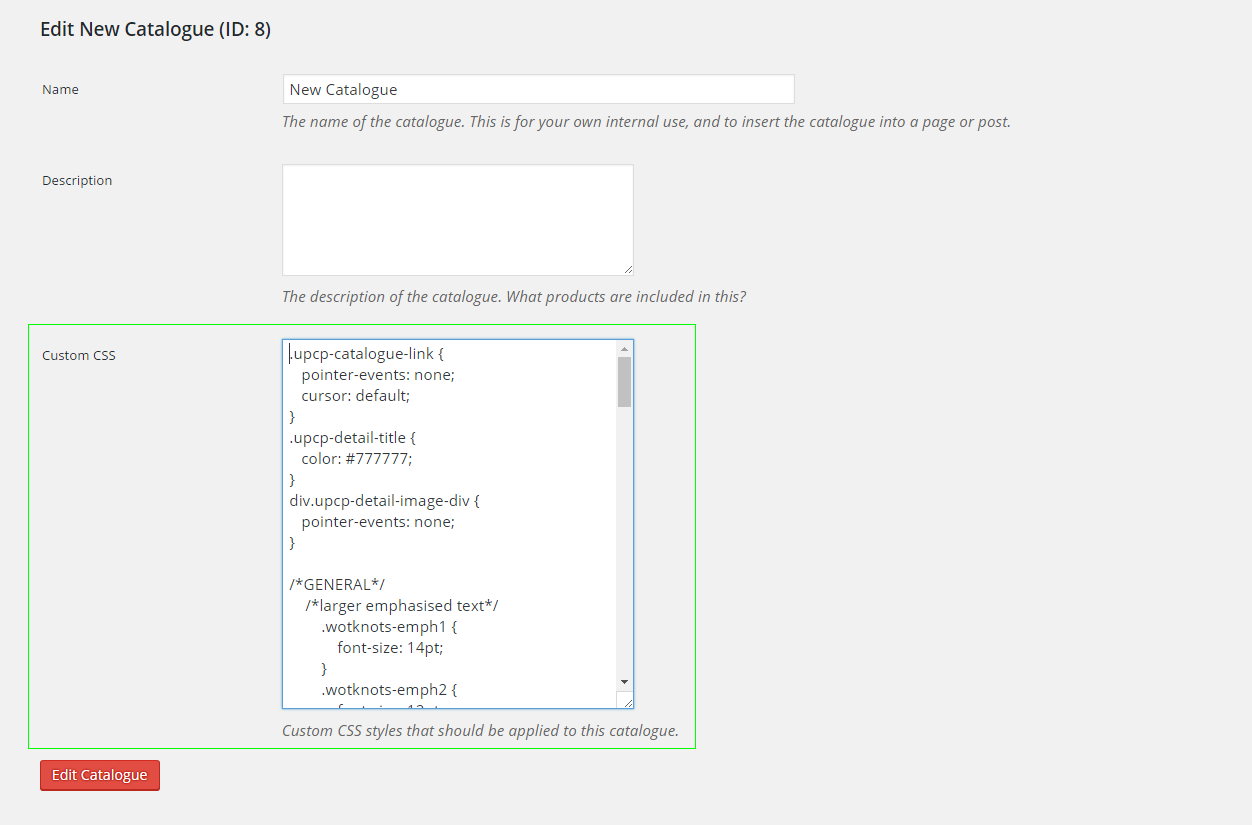
- Choose the catalog that you wish to change and click it
- Write down your CSS code under the custom CSS text area
- Click “Edit Catalogue” to save your changes
 n
n
 n
n
 n
n
 n
n




Discover all of our WordPress plugins
Browse Plugins