










For some businesses, especially hospitality and ecommerce brands, the FAQ layer also supports nearby conversion paths such as website bookings, returns, or product questions. That is why the best alternative is usually the one whose structure fits the site’s existing WordPress integration patterns instead of forcing support content into an isolated widget.
FAQ plugin alternatives for WordPress is a search that usually happens after a site owner realizes that “adding accordion questions” and “building durable self-serve support” are not the same thing. Some plugins are best for lightweight display. Others are better for ecommerce catalogs, documentation-heavy support sections, or search-led help experiences. The real decision is not whether you need an FAQ plugin at all. It is what kind of support content system you are actually trying to build.
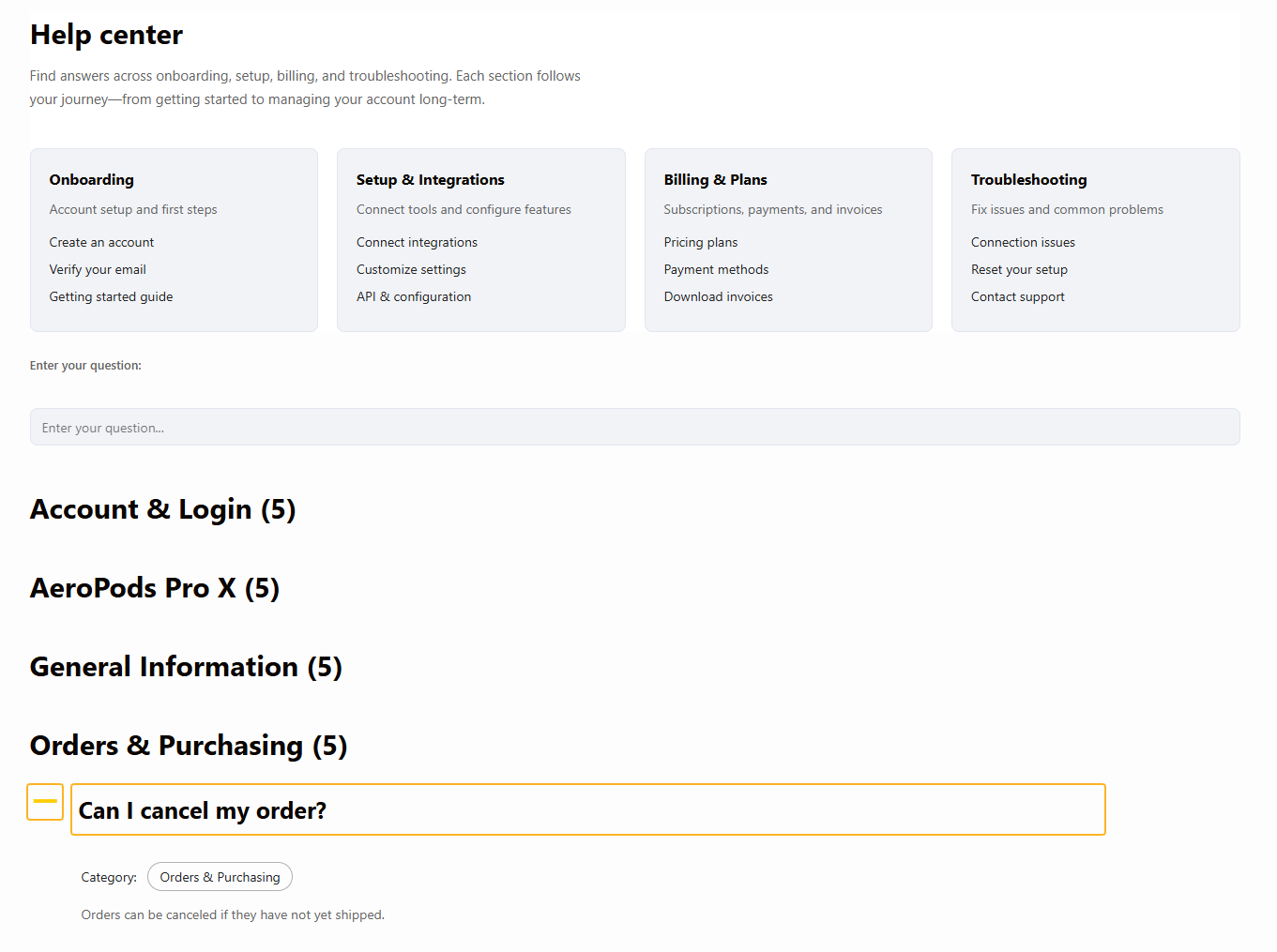
For teams comparing FAQ plugin alternatives for WordPress, the Ultimate WordPress FAQ plugin is a strong option when the goal is to build a more structured, searchable, and maintainable help experience rather than a one-off design element. Ultimate FAQs works especially well when the site needs organized categories, flexible display styles, FAQPage schema, and room to grow from a simple FAQ section into a more serious self-serve support layer.
What types of FAQ plugin alternatives for WordPress are people really comparing?
Most buyers are choosing between four broad styles of plugin. The first is the lightweight accordion plugin that makes single-page FAQ blocks easy. The second is the design-first plugin that emphasizes styling and layout polish. The third is the support-oriented plugin that cares more about categories, search, and long-term content upkeep. The fourth is the ecommerce or product-focused plugin that ties answers closely to product pages.
| Plugin style | Best for | Where it starts to strain |
|---|---|---|
| Lightweight accordion tools | Simple marketing pages with a short list of questions | Poor fit once content volume grows or search becomes important |
| Design-first FAQ plugins | Sites that prioritize visual presentation and polished layouts | Can feel shallow if support depth and maintainability matter more than style |
| Support-oriented FAQ systems | Teams building reusable self-serve support content | Needs more intentional structure than a quick add-on widget |
| Product-focused FAQ tools | WooCommerce stores with SKU or category-specific questions | May not serve broader help-center needs well |
How to evaluate alternatives without reducing the page to a single winner
The smartest way to assess FAQ plugin alternatives for WordPress is to decide what failure you are trying to avoid. If you only need a short FAQ under a sales page, a lighter tool may be enough. If your problem is repeated support tickets, scattered answers, and weak discoverability, then your evaluation criteria should change. In that case, you need structure, search, and content management much more than fancy transitions.
- Ask whether the plugin helps visitors find answers, not just see them.
- Check whether FAQ items can be grouped and reorganized as the content library grows.
- Consider SEO value, especially whether the plugin supports FAQPage schema in a clean way.
- Think about editor fit: will your team manage content comfortably in Gutenberg and other common workflows?
- Look at maintainability over twelve months, not just the speed of first setup.
Where Ultimate FAQs tends to fit best
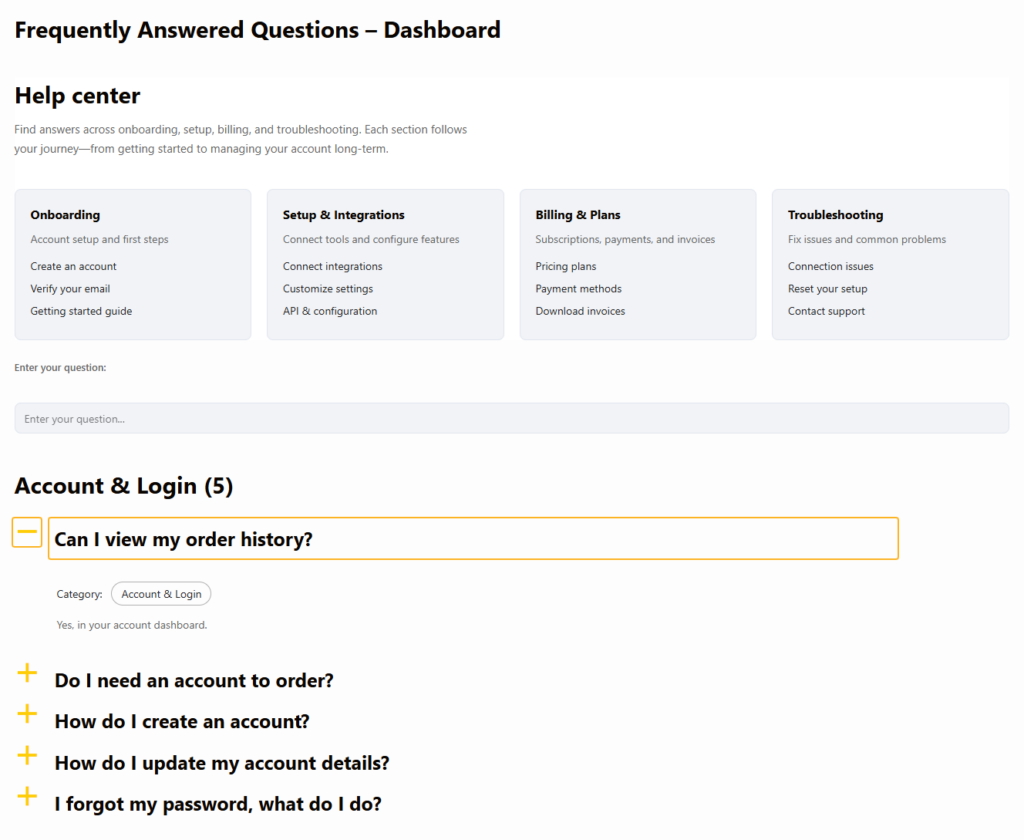
Ultimate FAQs is a strong answer to FAQ plugin alternatives for WordPress when the site needs more than an attractive accordion. Ultimate FAQs supports unlimited FAQs and categories, which matters when answers start to sprawl. Ultimate FAQs also includes built-in search, flexible display styles, and FAQPage schema, which helps when the support section must serve both users and search visibility.
That does not mean Ultimate FAQs is automatically the best fit for every site. If you only need three answers at the bottom of a landing page, a lighter display-focused tool may feel simpler. But when long-term maintainability matters, Ultimate FAQs earns attention because it treats FAQs as content worth organizing rather than as decorative page filler.
A shortlist framework: who each option suits
| Reader situation | Best plugin style to evaluate first | Why |
|---|---|---|
| Single landing page with a few common objections | Lightweight accordion plugin | Fast to publish and low overhead |
| Marketing site where visual design is the main priority | Design-first FAQ plugin | Layout flexibility may matter more than search depth |
| Support team trying to reduce repetitive tickets | Support-oriented tool like Ultimate FAQs | Search, categories, and structure matter most |
| WooCommerce store with product-specific questions | Product-focused FAQ plugin or Ultimate FAQs with WooCommerce support | Needs tighter connection between product pages and answers |
Choose an FAQ setup built for support depth, not just page decoration
Compare plugin styles based on how much structure, search, and long-term upkeep your site really needs.
Migration thinking: when switching becomes the right move
Sites usually switch FAQ tools for one of three reasons. First, the current plugin is visually fine but hard to scale. Second, answers exist, but users still cannot find them. Third, the site owner wants more SEO value or a cleaner help-center path than the current setup supports. Those are exactly the cases where a search for FAQ plugin alternatives for WordPress turns into a real switch decision rather than a casual browse.
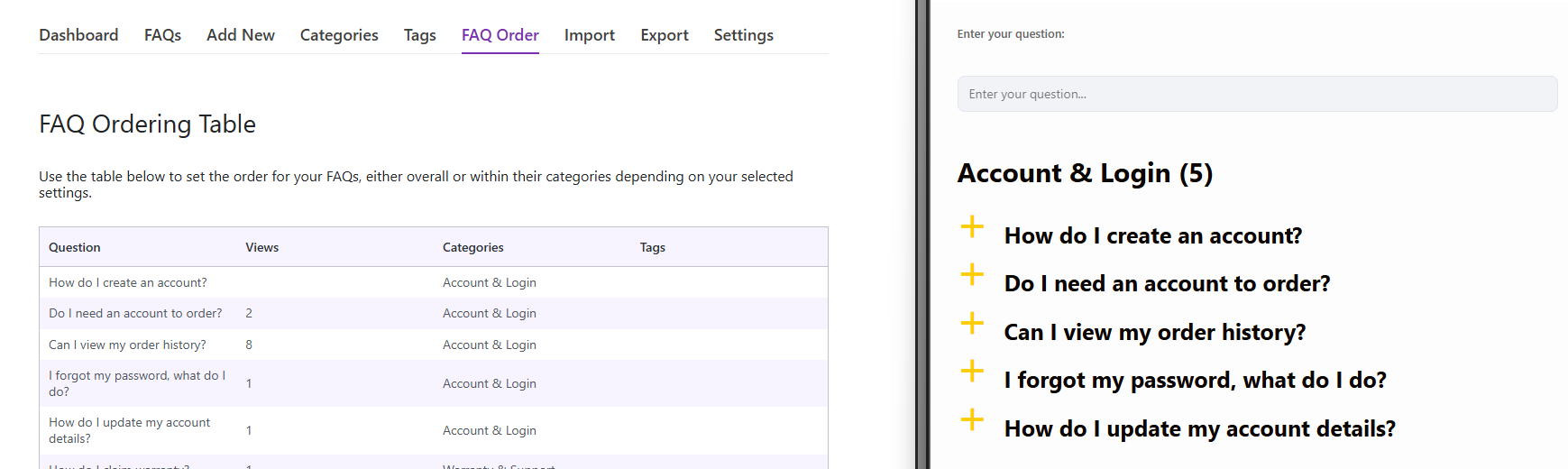
Ultimate FAQs helps in that situation because Ultimate FAQs combines structure with flexibility. Categories, drag-and-drop ordering, search, schema support, and editor compatibility all support a cleaner migration path. For teams trying to build self-serve support that actually reduces repetitive questions, those pieces matter more than surface styling alone.
What tradeoffs should you expect?
Support-oriented plugins usually ask for more content discipline. You may need to think about category structure, naming consistency, and what belongs in a help center versus a product page. That is a fair tradeoff if the result is a support library that is easier to expand and easier for users to search. Lightweight FAQ plugins feel simpler at first, but that simplicity often disappears once the content grows.
- A lighter plugin is quicker for tiny FAQ sections.
- A more structured plugin is better for search, support depth, and long-term upkeep.
- WooCommerce-heavy sites should care about product-level FAQ support early in the evaluation.
- Teams with recurring support demand should prioritize findability over visual novelty.
Frequently asked questions about FAQ plugin alternatives for WordPress
Content Series
Yes, but mostly when they make answers easier to structure and discover. A pretty accordion alone will not solve a findability problem.
Yes. They can be perfectly fine for short landing-page FAQ sections where search and scaling are not priorities.
Start by deciding whether you need a display tool, a support-content system, or a product-focused FAQ workflow. Different plugin styles solve different problems.
Ultimate FAQs is strongest when your site needs categories, search, schema support, and a more maintainable help experience over time.
Build a cleaner FAQ and help-center experience on WordPress
Use Ultimate FAQs when your goal is better discoverability, stronger self-serve support, and a more maintainable answer library.
Related Content
A better long-term question to ask
Instead of asking only which plugin has the nicest accordion, ask which setup will still make sense after you add fifty more answers, launch new products, or try to improve self-serve support. That is the real value behind comparing FAQ plugin alternatives for WordPress. The plugin choice should reflect the content model you want to live with, not just the page you want to publish this afternoon.
Switch to an FAQ workflow that scales with your site
Use Ultimate FAQs to build a more searchable, structured, and support-friendly FAQ experience in WordPress.