









The best support documentation plugins do more than publish answers. They shape how quickly customers solve their own problems, how often support teams answer the same question twice, and how easy it is to keep documentation aligned with the product. When buyers compare great support documentation plugins, the real question is whether the plugin can turn scattered answers into a self-service system that people will actually use.
For many WordPress teams, WordPress Ultimate FAQs belongs on the shortlist of the top support documentation plugins because it balances simple editing with strong answer findability. Ultimate FAQs works especially well when a team needs searchable FAQs, category structure, FAQ schema, and enough flexibility to support both a lightweight help center and a larger documentation strategy.
Why support documentation quality changes support workload
Support documentation affects more than SEO. It changes ticket volume, first-response quality, and how quickly customers move from confusion to action. If a visitor can find a clear answer to pricing, setup, integrations, or troubleshooting in under a minute, the support team gets fewer repetitive messages and can spend more time on the cases that actually need human judgment.
That is why the Best support documentation plugins should be judged on structure, not just appearance. A page full of answers is not a real support system unless the content is easy to browse, easy to search, and easy for internal teams to maintain. A strong plugin should help you group related answers, surface common questions, and avoid turning the help area into a long, unscannable wall of text.
The buyer criteria that matter before you pick a plugin
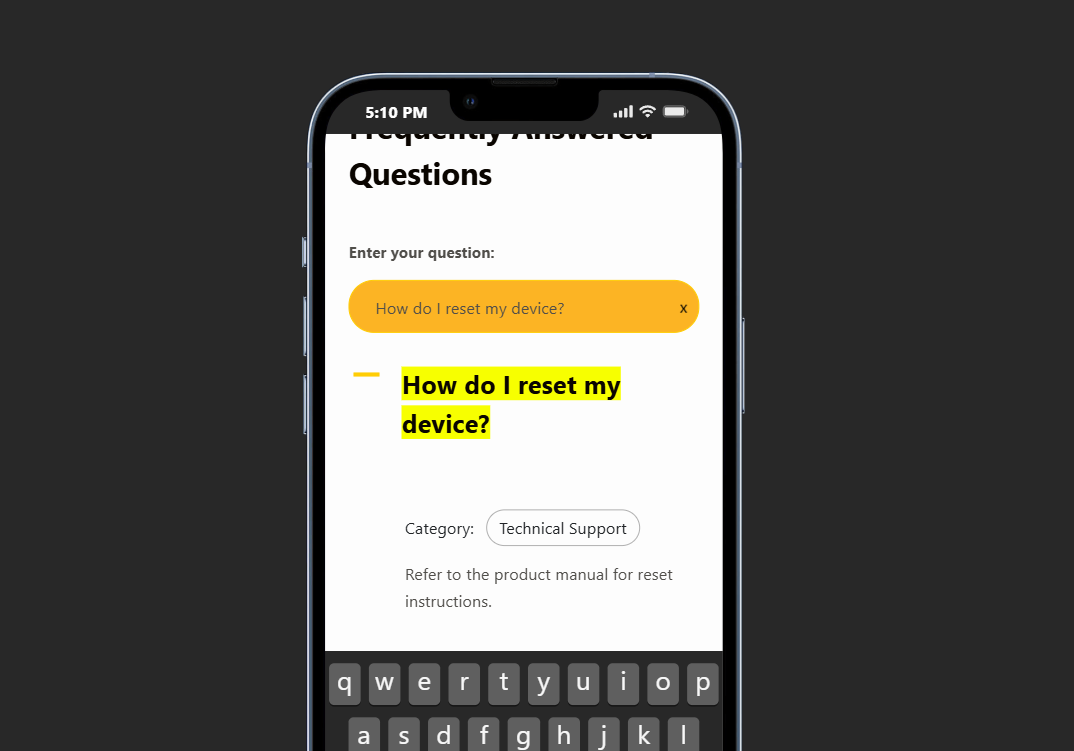
Answer findability. Can visitors search, filter, or browse logically enough to find an answer without opening ten articles?
Editorial speed. Can your team add, edit, and reorder answers quickly when product details change?
Support depth. Does the plugin work only for short accordion answers, or can it support a broader help-center workflow?
Search visibility. FAQ schema, structured content, and clean formatting all help when you want documentation to capture informational search traffic.
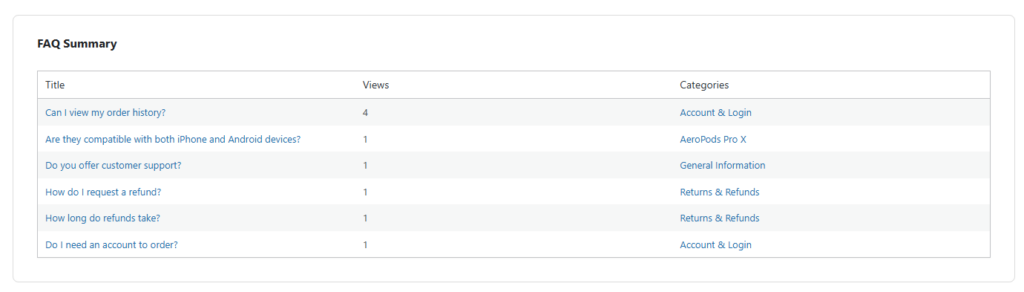
Operational insight. Saved search terms and most-viewed entries matter because they tell you where customers are still struggling.
A practical shortlist of plugin styles
| Plugin or style | Best fit | Strengths | Tradeoffs |
|---|---|---|---|
| Ultimate FAQs | Teams that want a flexible FAQ-first help center on WordPress | Fast editing, category structure, search, FAQ schema, analytics, and multiple display layouts | Less suited to teams that need a full standalone docs portal with deep article hierarchies |
| BetterDocs | Documentation-heavy teams that want dedicated doc pages and stronger docs templates | Structured documentation layouts, live search, and docs-oriented presentation | Can be more than some FAQ-first teams need if most answers are short and repetitive |
| Helpie FAQ | Sites focused on FAQ blocks, accordion displays, and mixed FAQ/docs presentation | Flexible display options and WordPress-friendly editing flows | Evaluation should focus on long-term maintainability and how much complexity your team actually needs |
| Echo Knowledge Base | Organizations building a larger knowledge base with advanced search and broader help-center features | Knowledge-base depth, search focus, and wider support-center scope | Often a bigger system to manage if the immediate need is clean FAQ delivery |
See which documentation setup will actually reduce repeated support questions
Compare a lighter FAQ-first workflow with heavier documentation stacks before you commit to a build.
How a self-service workflow looks in practice
Imagine a SaaS team that sees the same onboarding questions every week: How do I import data? Where do users reset permissions? Why did a workflow fail? Without a consistent documentation system, those answers live in chat threads, old tickets, and random internal notes. With a support-focused FAQ structure, the team turns the most common questions into searchable entries, groups them by onboarding stage, and uses view data to improve the answers that matter most.
The same pattern works for customer-facing sites in other industries. A restaurant might publish answers about online reservations, cancellation rules, and the overall booking experience. An ecommerce brand might use documentation to explain returns, shipping timing, and product setup. The plugin choice matters because it determines whether those answers stay organized as the library grows.
Where Ultimate FAQs earns a place on the shortlist
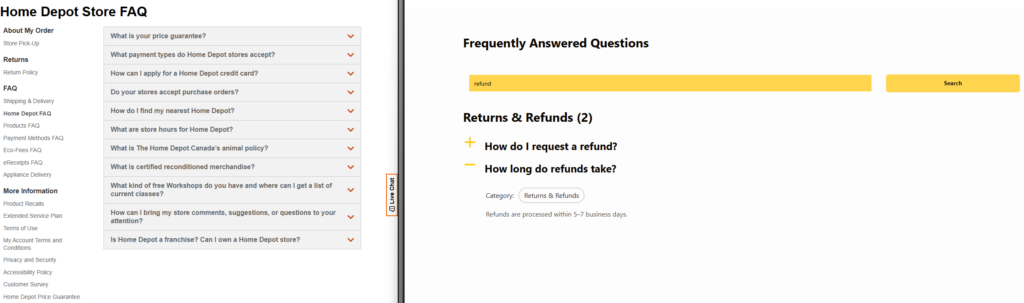
Ultimate FAQs is strongest when your team wants practical self-service support without building a full documentation portal from scratch. You can create and organize unlimited FAQs, group them into categories, reorder them quickly, and present them in layouts that fit product pages, support hubs, or dedicated help sections. Built-in search matters here because it makes shorter answers more useful; visitors do not need to guess which accordion to open before they get help.
Ultimate FAQs also fits teams that want SEO value from support content. FAQ schema can help clarify content for search engines, while clean formatting makes answers easier to surface on informational pages. At the same time, features like saved search terms and most-viewed FAQs give the support team signals about missing content. That combination is why Ultimate FAQs can serve both marketing and support goals without turning the site into a documentation maintenance project.
Build a support section that answers real questions before they become tickets
Use searchable FAQs, categories, and schema to turn repeated questions into a cleaner self-service experience.
Search and organization tradeoffs buyers often miss
A common mistake is choosing only on visual style. Accordion design matters, but findability matters more. If the plugin looks polished yet makes it hard to group answers or search across them, the support load stays high. Another mistake is assuming longer documentation always beats shorter FAQs. In reality, many teams need both: short answers for fast resolution and deeper articles only where the workflow is truly complex.
That is where category structure and flexible display options become important. Some questions belong in a product page accordion. Others belong in a broader help center. The Best support documentation plugins let you support both patterns instead of forcing every answer into a single format.
How to choose among the Best support documentation plugins
Start with your support pattern, not the feature list. If most questions are short, repetitive, and tied to product pages or onboarding steps, a focused FAQ solution like Ultimate FAQs is often the better buy. If your team publishes long-form manuals, versioned documentation, and multi-layer article trees, a docs-first product may be worth the extra complexity.
The Best support documentation plugins are the ones that match the way your team creates answers and the way customers search for them. For many WordPress sites, that means choosing a plugin that is simple enough to maintain weekly, but structured enough to keep answers useful six months from now.
Frequently asked questions
Content Series
Yes, when the questions are organized well and search is strong. Many teams do not need a full docs portal for their first layer of self-service support.
FAQs usually answer short, repeated questions. A help center may include FAQs, but often adds category navigation, search, and longer support articles.
Ultimate FAQs is a strong fit when you want a searchable, SEO-friendly FAQ and support layer on WordPress without taking on the overhead of a larger documentation system.
Because views and saved searches show what customers are trying to find. That makes it easier to expand the library based on real demand rather than guesswork.
Launch a cleaner support documentation experience on WordPress
If your goal is fewer repetitive questions and faster self-service answers, Ultimate FAQs is a strong place to start.