










Blog
How to Set Up and Maximize SMS Notifications in Order Tracking
Read Post →
WooCommerce FAQs
We’re going to be looking at adding FAQs to your WooCommerce products in this post. Product FAQs let you answer questions your customers may have, such as what your return policy is, quickly and easily, before they purchase your products.
To get started, you’ll need a premium license for our Ultimate FAQ WordPress plugin. Head to the “Premium” tab of the plugin’s settings, scroll down to the “WooCommerce” section and then toggle on “WooCommerce FAQs”.
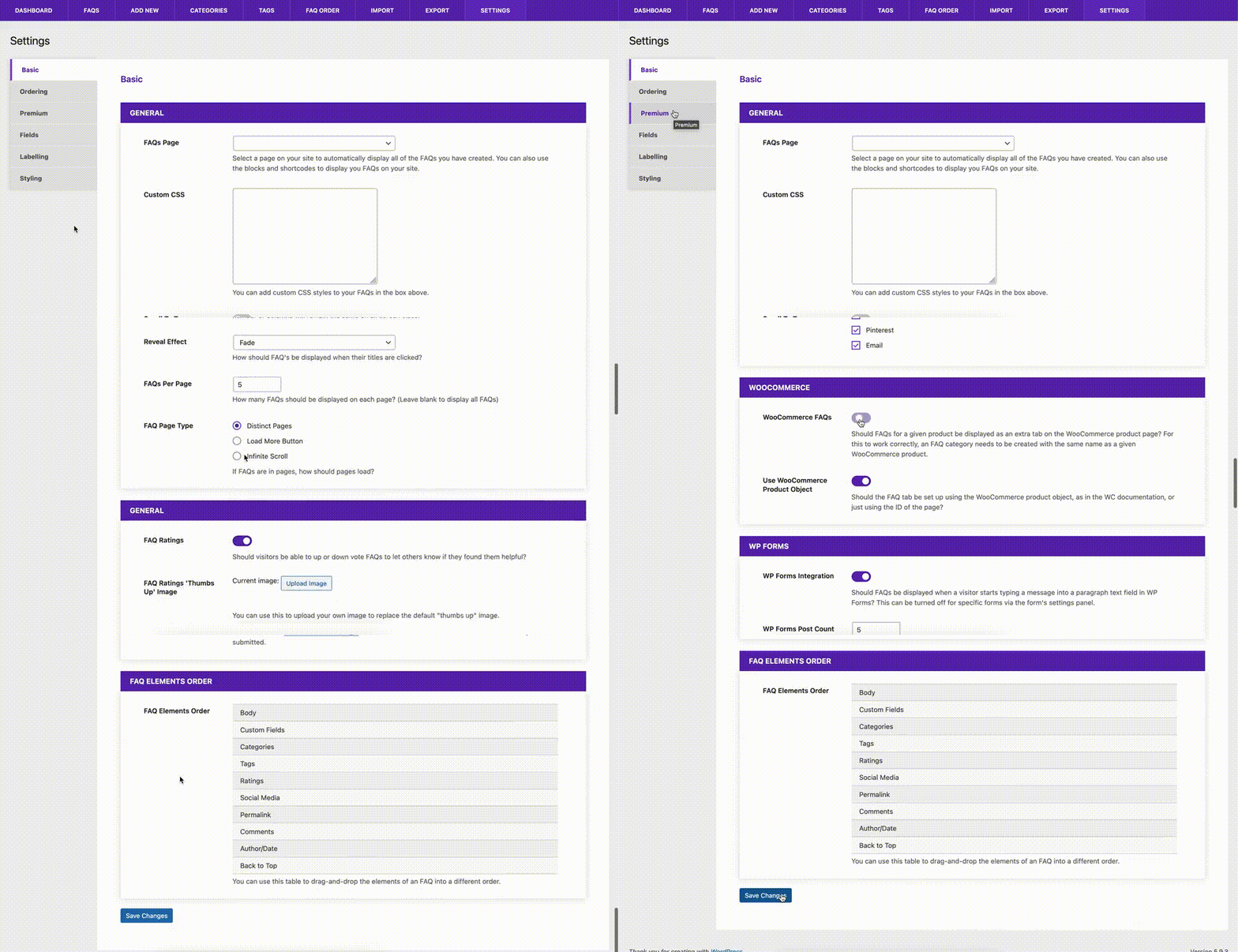
If you haven’t created any FAQs yet, make sure you do that first, by going to the “FAQs” tab in the admin and creating some, before continuing.
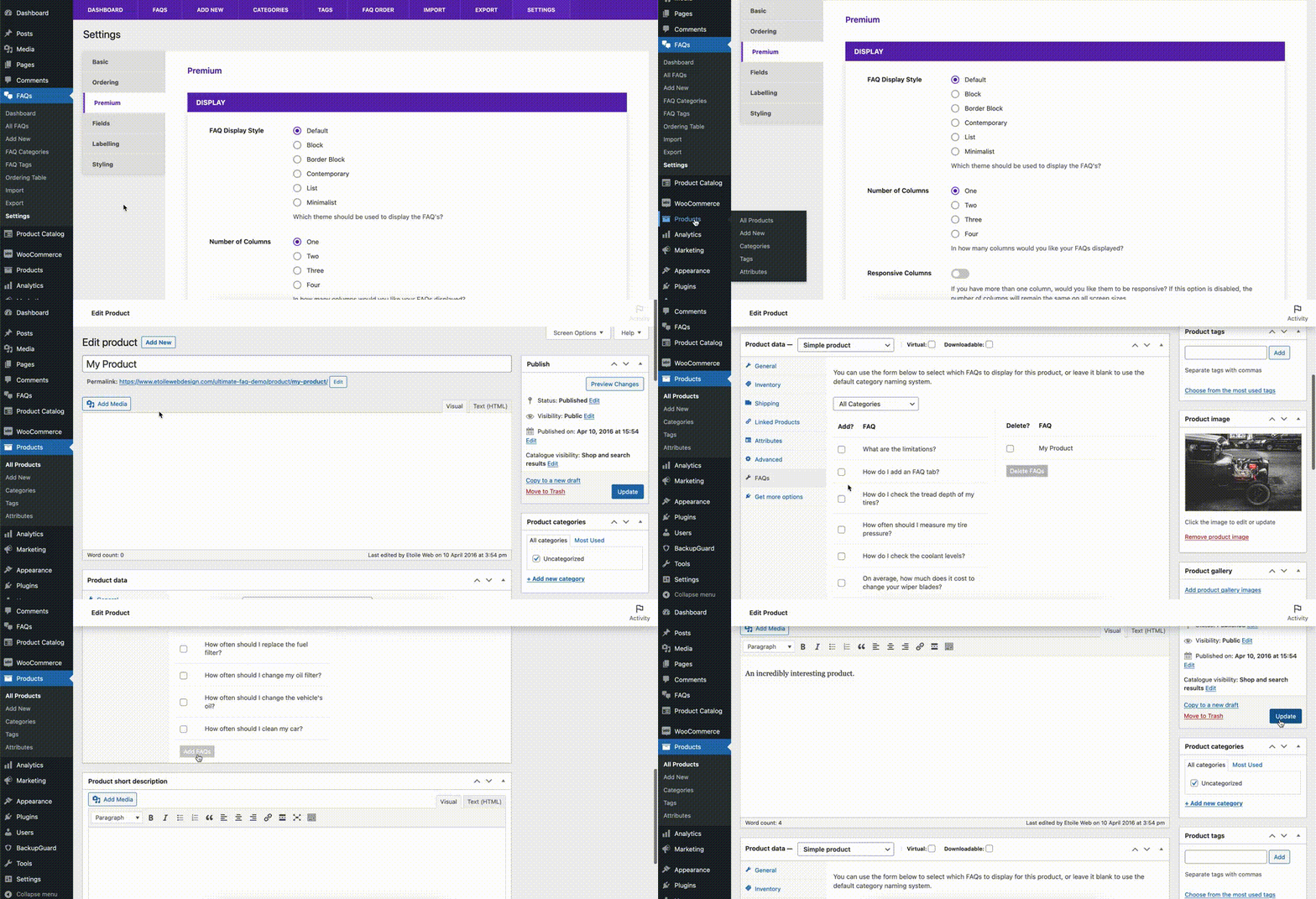
Next, head to to the “Products” screen in WooCommerce, and select a product you’re looking to add FAQs to. On the edit product screen, select the FAQs tab in the “Product Data” area. Click the checkboxes beside all of the FAQs you want displayed for that product, and then click the “Add FAQs” button.
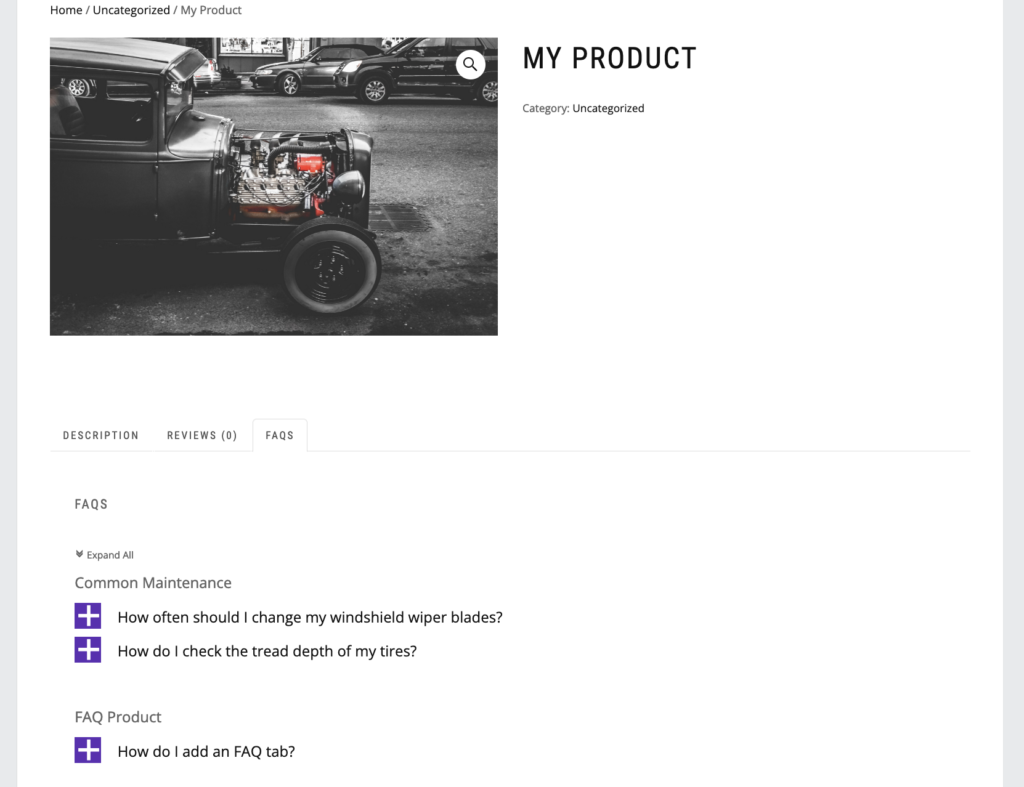
When you view the product on the front-end of your site, you should now see an FAQs tab with all of the FAQs that you selected in the admin area. You can repeat this process for any products where you want FAQs displayed.
Want to change the look of your FAQs? Check out our blog post on all of the Ultimate FAQs styling options that you have available.
Visit our blog again next week, when we cover adding custom fields to your FAQs, and re-ordering the different elements of your FAQs!






Discover all of our WordPress plugins
Browse Plugins
