










We Want Your WordPress Plugin Reviews: Let Us Know What You Think and You Can Win!

Have you tried one of our plugins for WordPress?

Nothing is more important to us than honest feedback from our customers. Tell us what you think at wordpress.org and you can win your purchase or an upgrade.


Simply follow these two steps, but first:
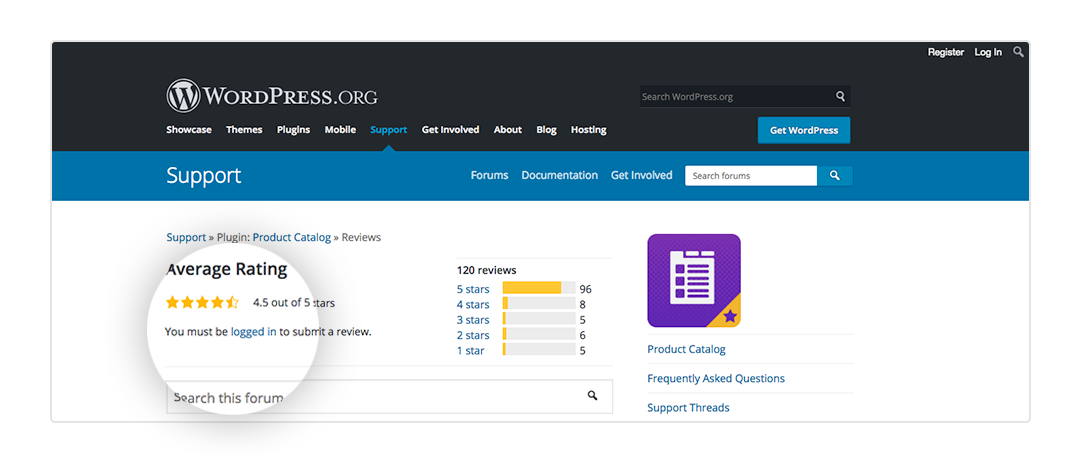
Remember to Log in!

1. Choose the plugin you want to leave a review for:

Ultimate Product Catalog

Ultimate FAQs

Front-End Only Users

Order Tracking Plugin

Ultimate Review Plugin

Ultimate Appointment Scheduling


2. Then let us know that you posted via:

Twitter

Facebook

Email: Contact@etoilewebdesign.com

Thanks for your support and good luck!


The details: One review per plugin will be entered in the monthly draw. Winner must be authenticated as the poster for the review in order to claim the prize. One review will be drawn randomly on the last Friday of each month, or closest business day if on a holiday. A refund will be issued to the winning premium plugin customer for the value of a single site license purchase of the plugin reviewed. Customers who review the free version of the plugin will offered the upgraded version of the Etoile plugin of their choice.


Call to action box goes here
Need a Plugin to Improve Your Site?
Browse Plugins Now
With Summer Coming, It Is the Perfect Time to Upgrade Your Ecommerce Site with Ultimate Product Catalog

Summer often brings increased traffic, seasonal product rotations, and higher purchase intent. If your product catalog is still limited to the free version or relying entirely on default WooCommerce layouts, this is the right time to upgrade your structure before demand increases. Ultimate Product Catalog is not an e-commerce platform. It is a powerful catalog…

How to integrate Ultimate FAQ with WP Forms

If you’re using the premium version of Ultimate FAQ, you can integrate your FAQs directly into forms created with WPForms. This allows relevant FAQs to automatically display as a user types into a form field — helping reduce unnecessary submissions and support requests. This post walks through the exact configuration process. Step 1: Enable WPForms…

How to Quickly Optimize the Alt Text of the Images on Your Site Using AI Image Alt Text

Alt text plays an important role in both accessibility and search engine optimization. Search engines use image alt attributes to understand what an image represents, while screen readers rely on them to describe visuals to users. Manually writing descriptive alt text for every image can be time-consuming, especially if your site includes large product catalogs,…

Discover More Posts
Browse Plugins Now




