









The power of honest, positive customer reviews cannot be underestimated in your e-commerce marketing plan. Consider these stats:
- Most consumers read 4-6 reviews before they’ll trust your business
- Excellent ratings prompt customers to spend 31% more money
- 72% of consumers will take action only after reading a positive review
So how can you leverage the power of customer opinion? The key is taking control of the process to help you generate, manage and monetize your reviews.
1. Choose your review parameters and sorting options
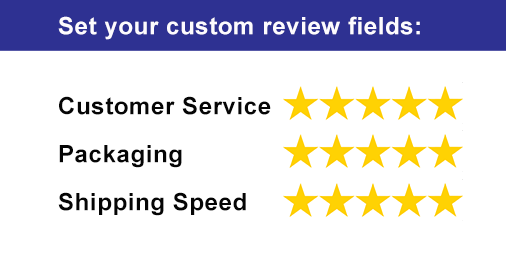
When managing reviews why not put your best foot forward? Customizable review parameters allow you to set the factors that your customers rate you on. Is your customer service top-notch? Do you package with extra padding or a thank-you note? Ship quickly? Putting your strengths up for review will help ensure impressive feedback.
Giving your customers the option to sort the reviews based on what they find important can also help boost user confidence. Filters can include things like sorting by most recent reviews, score or by author.
A WordPress review plugin can help you with this type of customization. You can find free versions on wordpress.org but paid versions will offer many more options and customizable fields.
2. Control review factors like access, visibility
To increase your chances for a positive review it’s important to make sure only legitimating customers can leave feedback. You can do this by requiring reviewers to confirm their email addresses, or requiring login to WordPress, Facebook or Twitter before being able to leave a review. Other options to consider are requiring admin approval before the post goes live. This option can help you catch dissatisfied customers and rectify the problem before it affects your rating score.
3. Add Media Options
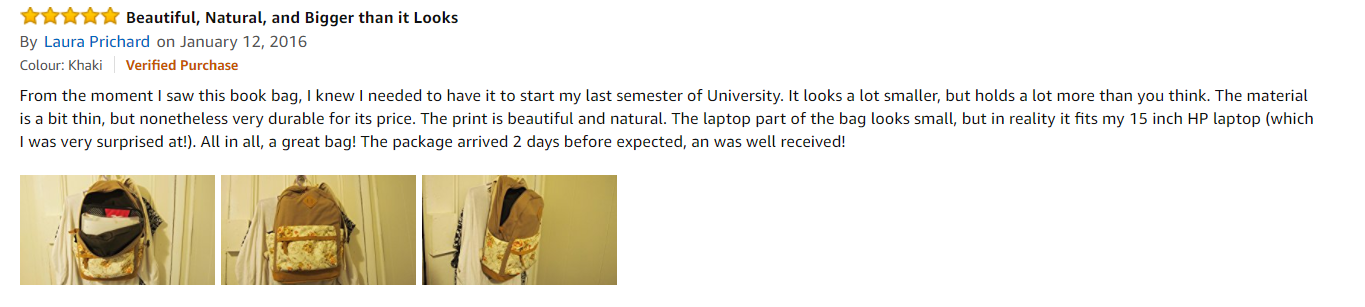
Images and video can make for powerful reviews that greatly boost the legitimacy and weight of a review. This tool is already been used by giants like Amazon and Ali Express. It allows media-savvy clients to snap a photo of their purchase in-use and add it to their review. You can also choose to weight these posts with more importance or have them appear first.
How to get started managing your reviews now
For free review plugins to get you started visit WordPress.org or try the Ultimate Reviews Plugin Premium. The plugin comes with a money-back guarantee and top-rated, premium support to help with your customization.

Install Ultimate Reviews – WordPress Plugin Now
3,000+ Installations
Stats source: Invespcro.com